
Create and send documents and contracts from the Enrollio mobile app using your saved templates — perfect for enrollment paperwork, policies, and parent agreements on the go.
Note: Before using documents on mobile, make sure you've created and saved templates in the Enrollio web platform. The mobile app doesn't support creating templates from scratch yet.
How It Works
Follow these steps to send documents and contracts from your mobile device:
- Open the Enrollio mobile app with your Client Account selected.
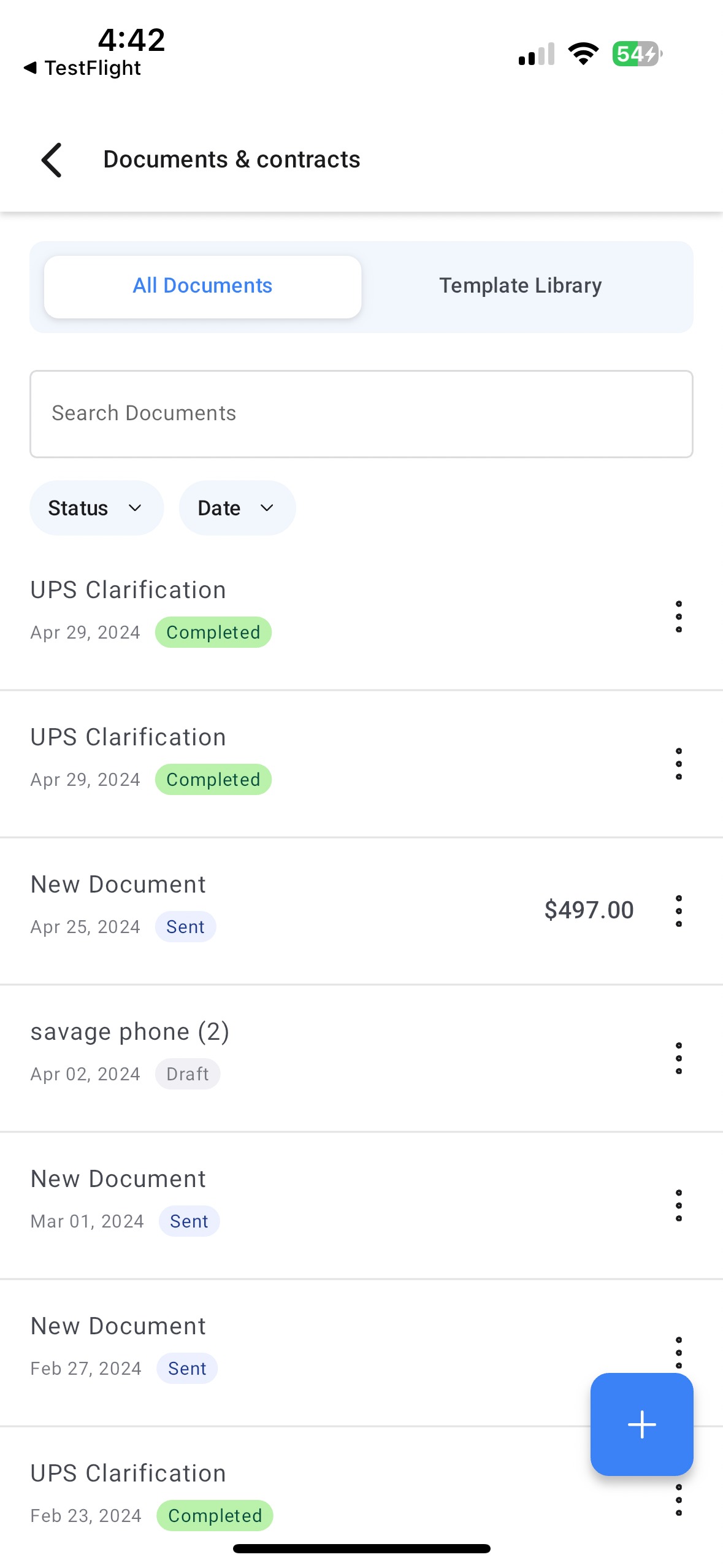
- Tap the menu icon in the top left and select Documents and Contracts.
- You'll see all your draft and sent documents under the "All documents" section. Switch to the "Templates" tab to view your saved document templates.
Creating and Sending a Document
- Tap the "+" button in the bottom right corner of the screen.
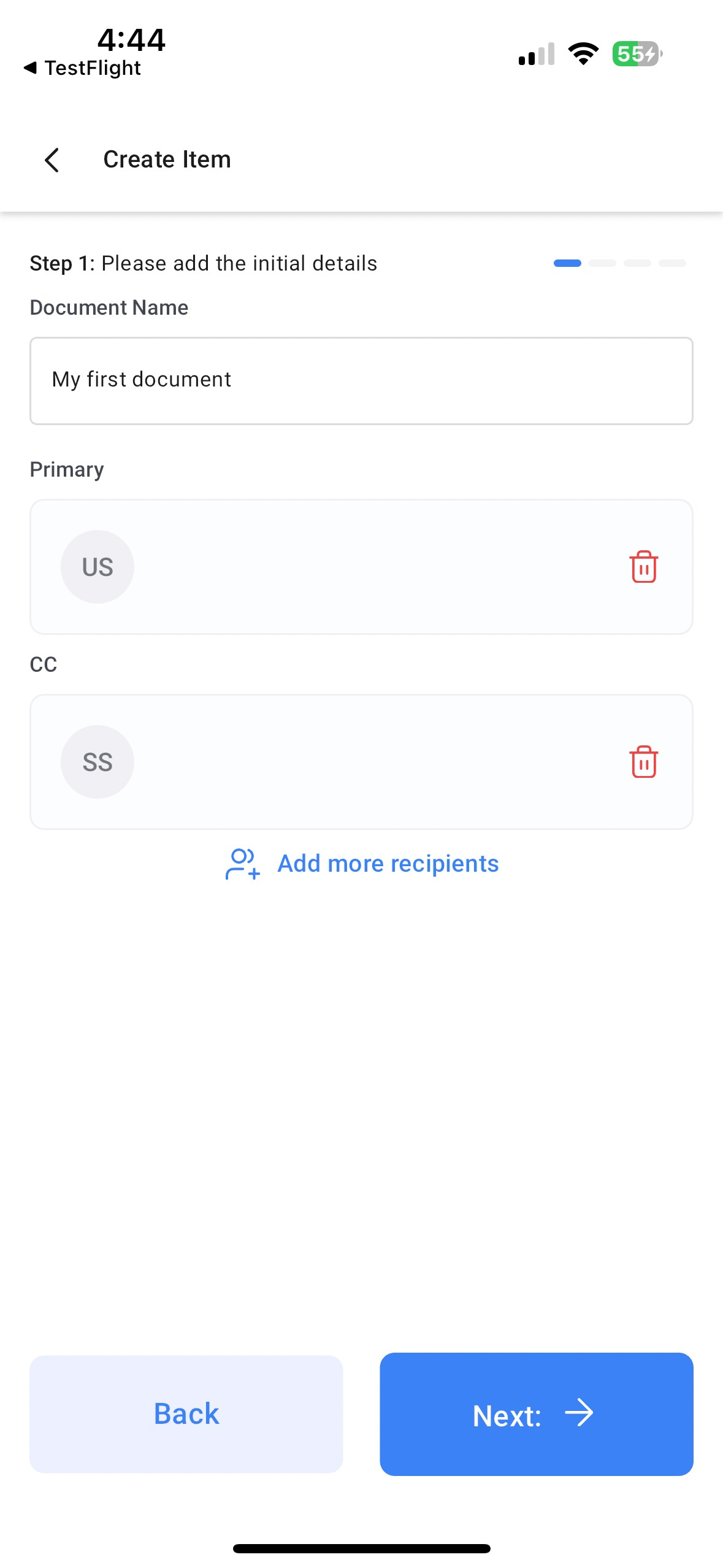
- Add the parent or family contact(s) who need to receive this document.
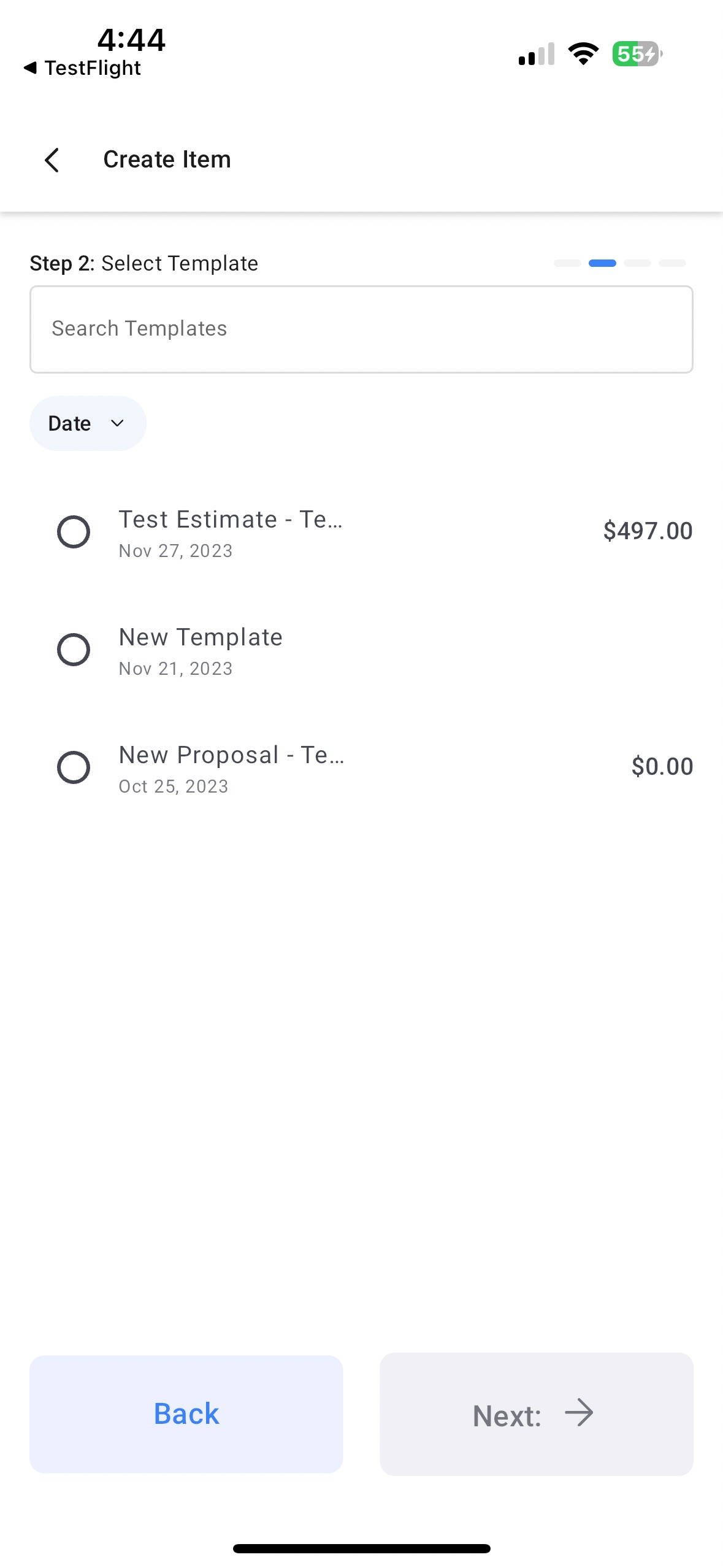
- Select the document template you want to send (enrollment agreement, policy handbook, etc.).
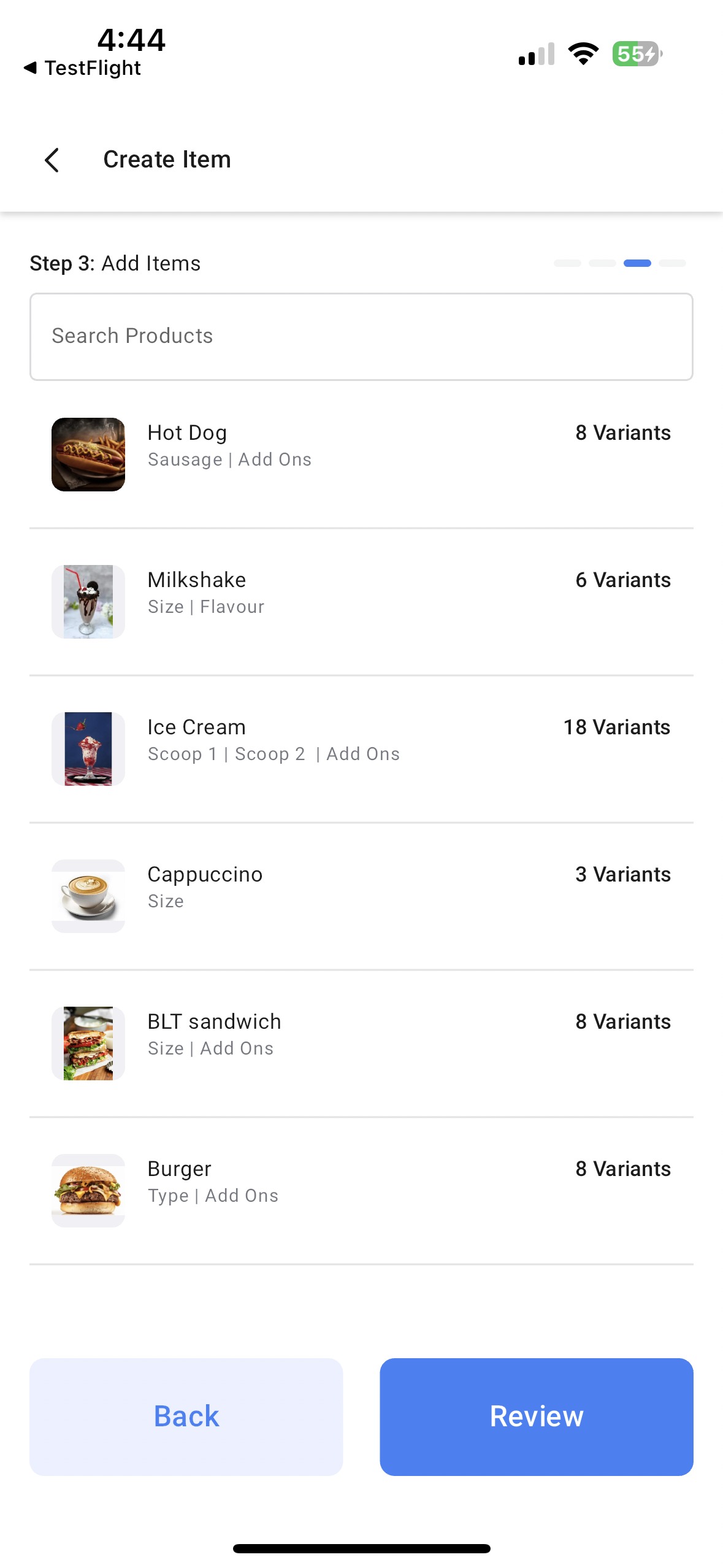
- Add items from your product catalog (optional). Skip this step if you're not generating a quote or estimate for tuition or fees.
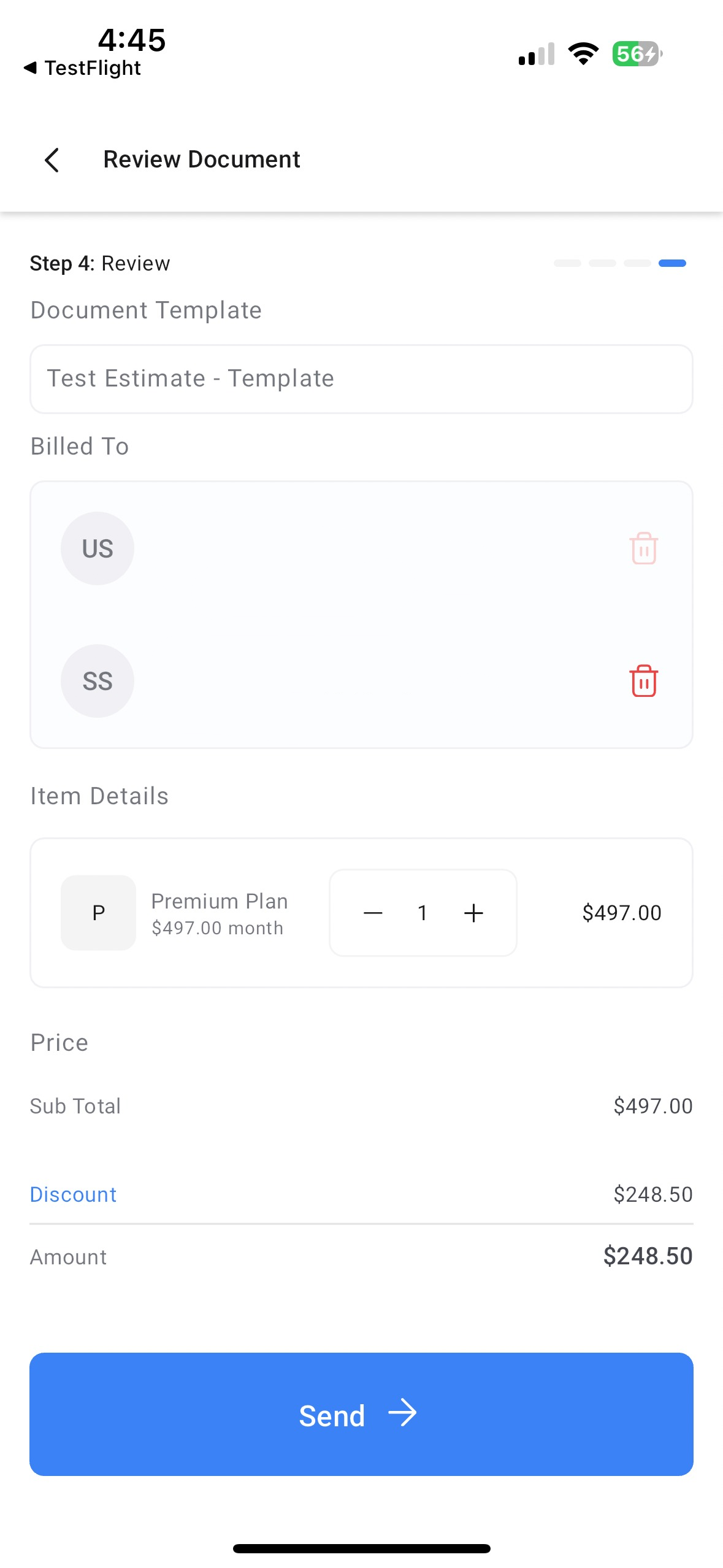
- Review your document details to make sure everything looks correct.
- Send the document via email or by generating a unique link to share with the family.
Pro Tips
- Create templates ahead of time: Set up your enrollment agreements, parent handbooks, and policy documents in the web platform so they're ready to send from mobile.
- Use the link option: Share document links via text message for faster parent signatures during tours or enrollment meetings.
- Track sent documents: Check the "All documents" tab to see which families have viewed or signed their paperwork.
What You Can Do
- Send enrollment agreements during facility tours
- Share policy updates with current families
- Generate tuition quotes and estimates on the spot
- Collect parent signatures from anywhere
- Track document status in real-time
Need to create new templates? Head to the Enrollio web platform and navigate to Documents & Contracts to build your library of enrollment paperwork.