
Overview
Your smartphone becomes your enrollment command center with Enrollio's mobile calling feature. Beyond making calls, you can schedule tours, add notes about parent conversations, and manage follow-ups—all without switching screens or losing focus during conversations.
The mobile app uses the same phone system as your desktop experience, so calls, recordings, and billing stay synced across both platforms.
Why Mobile Calling Matters for Childcare Providers
Mobile calling isn't just about talking—it's about taking action while you're on the go:
- Real-time Action: Schedule tours or add notes while talking to parents
- Efficiency: Save time with built-in task creation during calls
- Parent Experience: Respond faster with instant follow-up options
- Consistency: Never miss important details from parent conversations
- Information Access: View complete family profiles and payment history while speaking
- Flexibility: Work from anywhere without sacrificing CRM functionality
Features Available During a Call
On the in-call screen, you can do much more than just talk. These tools help you take action in real time:
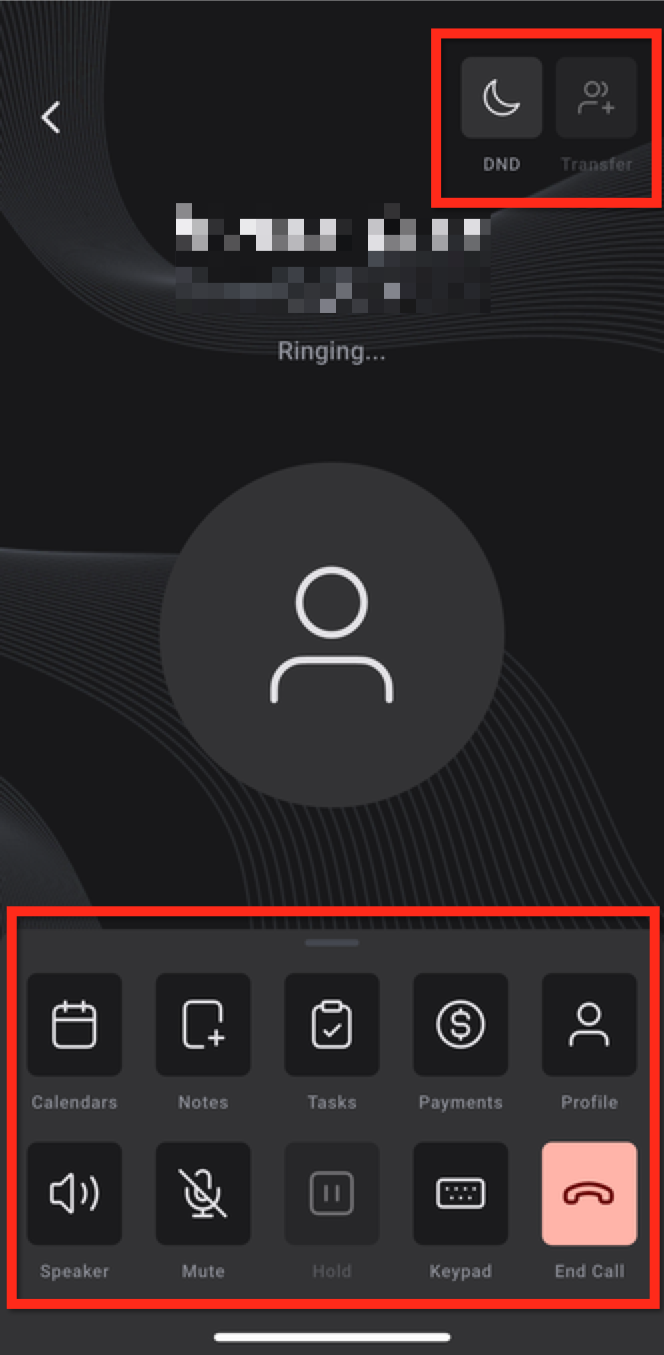
- DND: Toggle Do Not Disturb for the family directly from the call
- Transfer: Pass the call to another team member
- Calendars: Schedule a tour or follow-up appointment without leaving the call
- Notes: Type or dictate notes while talking to parents
- Tasks: Create and view tasks for this family
- Payments: Review payment history or log new payments
- Profile: View the family's complete information
- Call Controls: Speaker, mute, hold, keypad, and end call
Features Available After a Call
Once the call ends, Enrollio shows a summary screen with quick access to post-call actions. This ensures nothing falls through the cracks:
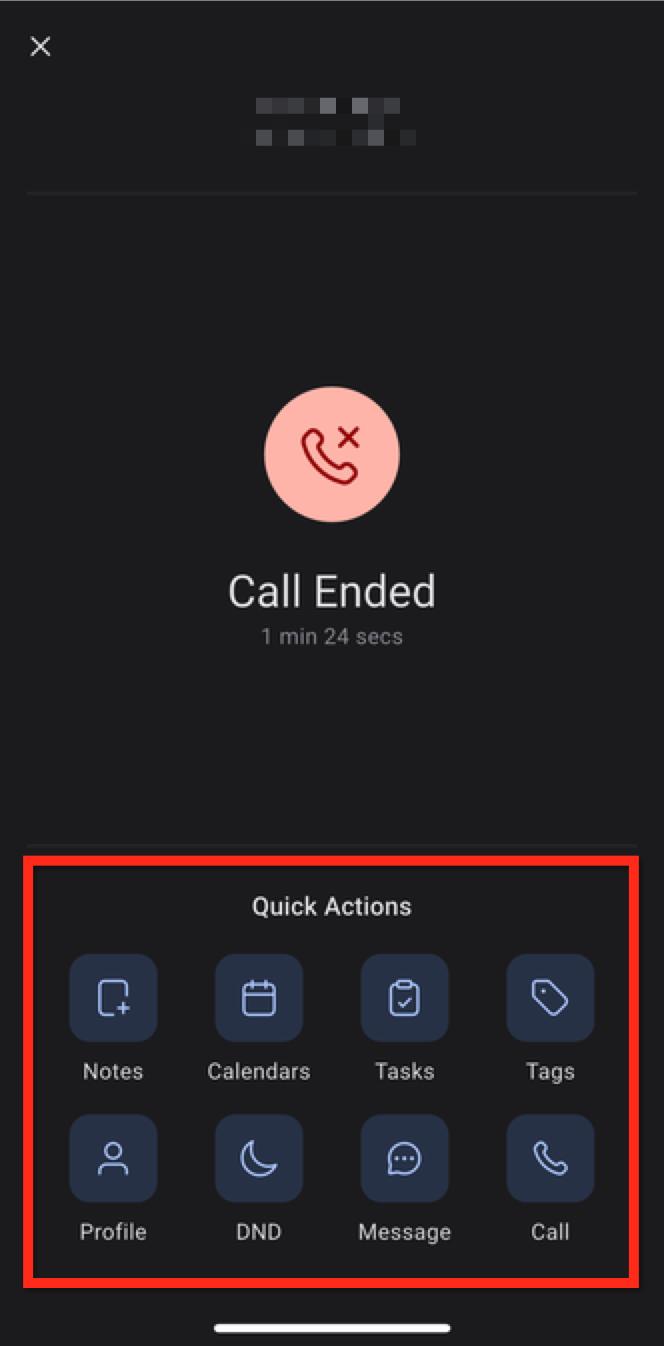
- Notes: Finish or edit your in-call notes
- Calendars: Schedule tours or callbacks
- Tasks: Add follow-up action items
- Tags: Apply tags to organize families (e.g., "Interested in Infant Care")
- Profile: View detailed family information
- Quick Actions: Set DND, send a text, or call back with one tap
How to Make Outbound Calls
You can place calls in several ways, depending on your workflow.
Method 1: Using Your Phone's Native Calling App
After installing the Enrollio mobile app, you can use it to call families saved in your phone's contacts:
- Open your phone's Contacts app
- Press and hold the call button on a contact
- Select Enrollio from the call method options
Method 2: From a Conversation
- Tap the Conversations tab in the bottom navigation
- Find and open the conversation with the family you want to call
- Tap the Call button in the upper right corner
Method 3: From a Family Profile
- Tap the Contacts tab in the bottom navigation
- Select the family to open their profile
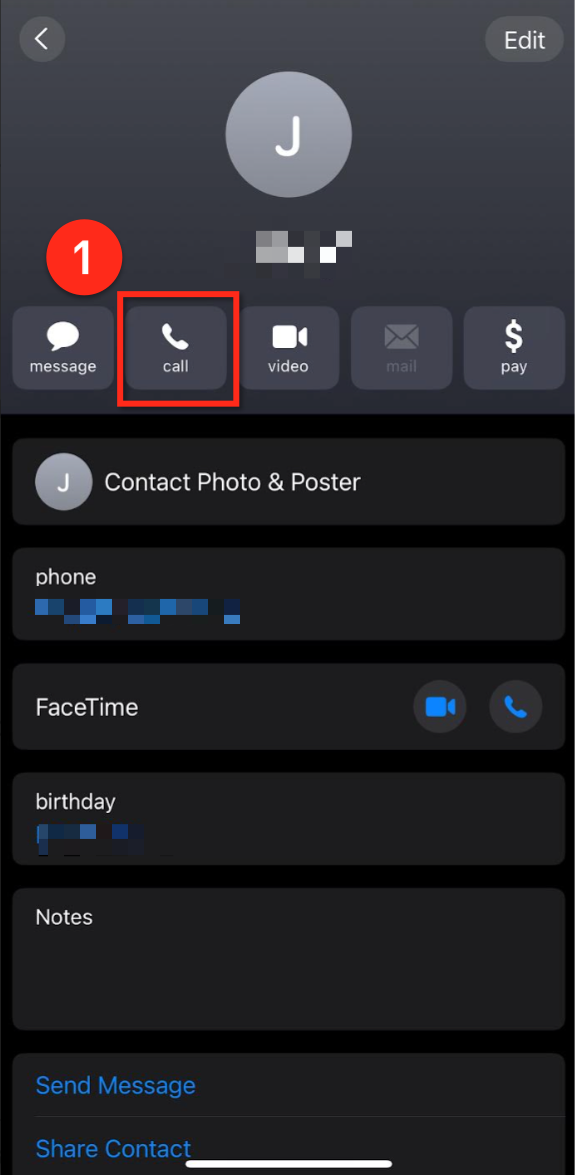
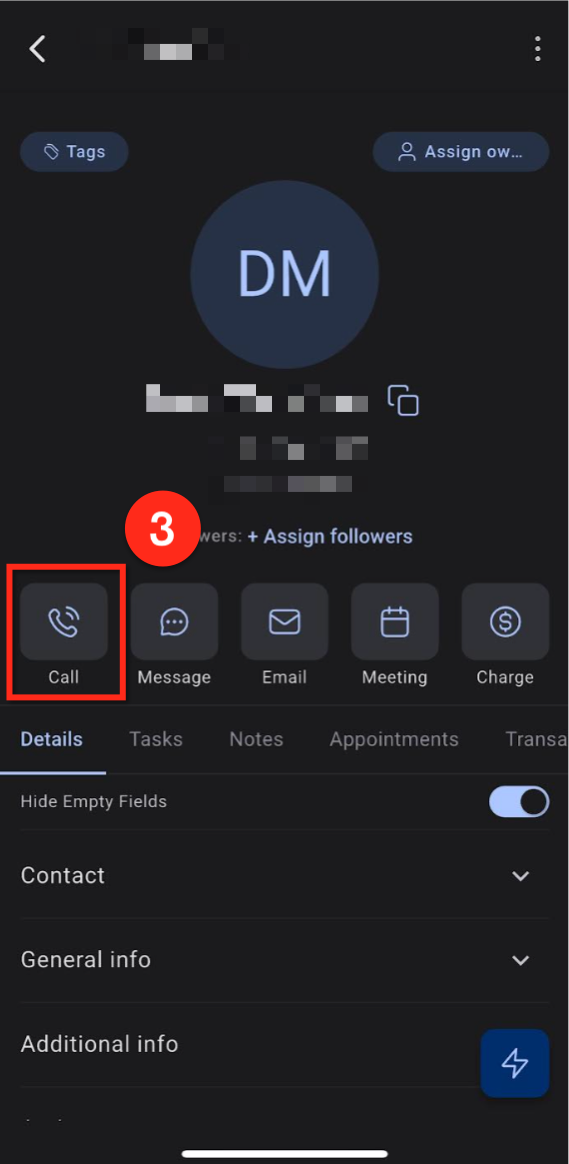
- Tap the Call button
Method 4: Using the Lightning Button
- Tap the Lightning icon in the bottom-right corner
- Select Make a Call from the options
Method 5: Using the Phone Dialer
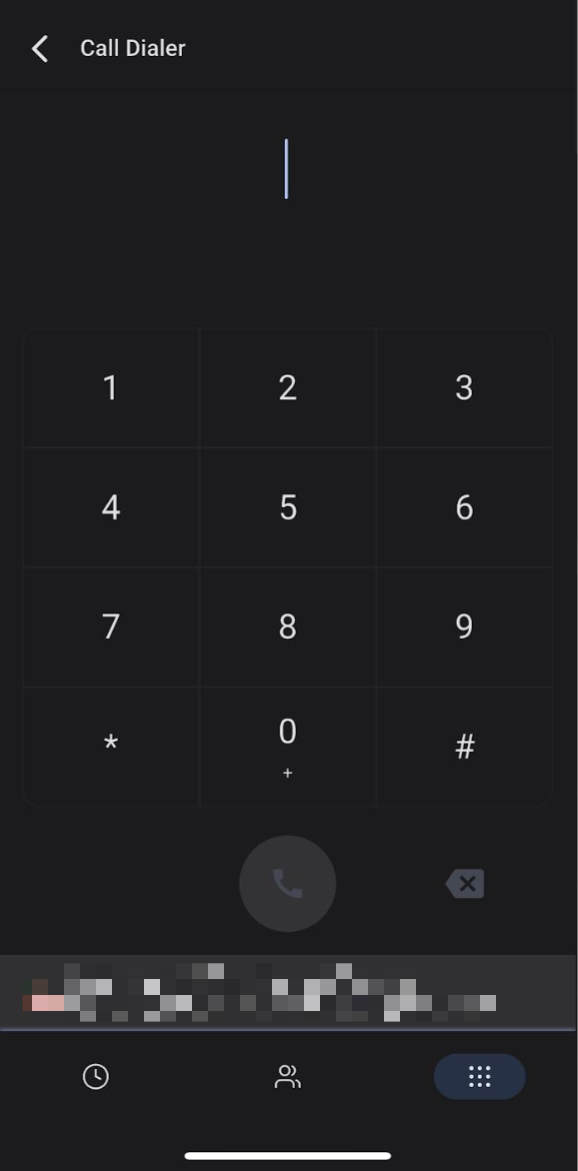
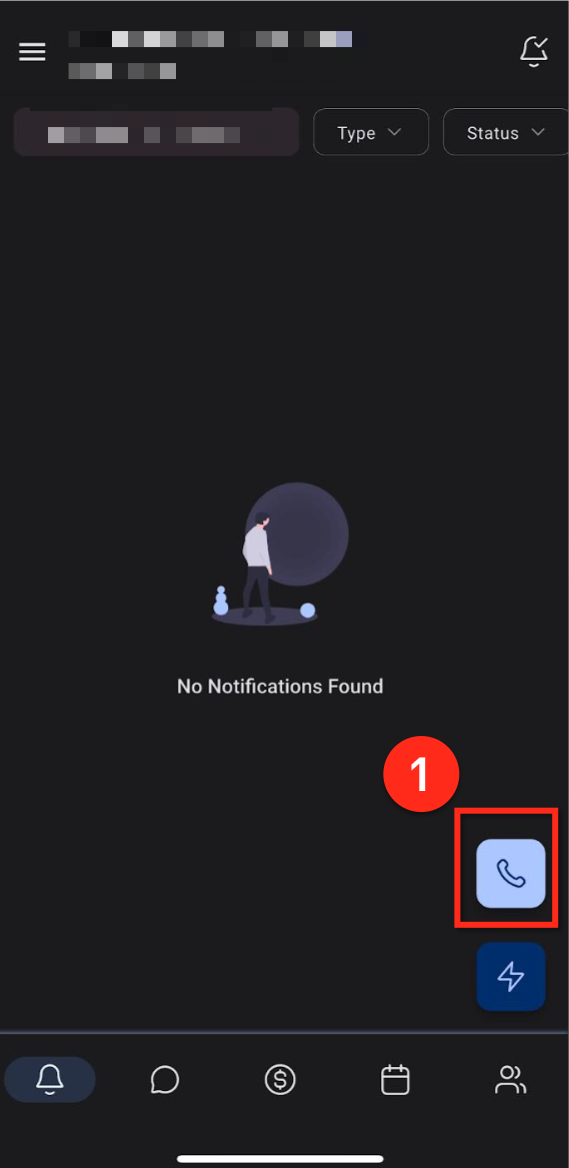
- From the Notifications tab, tap the phone button in the lower right corner
- Enter the phone number in the dialer
- Tap to place the call
Frequently Asked Questions
Can I transfer a call while using the mobile app?
Yes. Use the Transfer button on the call screen to redirect the call to a teammate.
Where do my in-call notes get saved?
Notes are saved under the family's profile in Enrollio for easy follow-up.
How are spam calls handled?
Enrollio automatically flags known or suspected spam callers. These calls appear with a spam label so you can avoid answering unwanted calls.
What happens if I miss a call?
If voicemail is set up, the caller can leave a message. You can also set up call routing to ensure calls reach your mobile app.
How is mobile calling priced?
Calls made through the mobile app are included in your Enrollio phone system usage. This includes outbound and inbound minutes, which are tracked in your account.