
Understanding Email Widgets
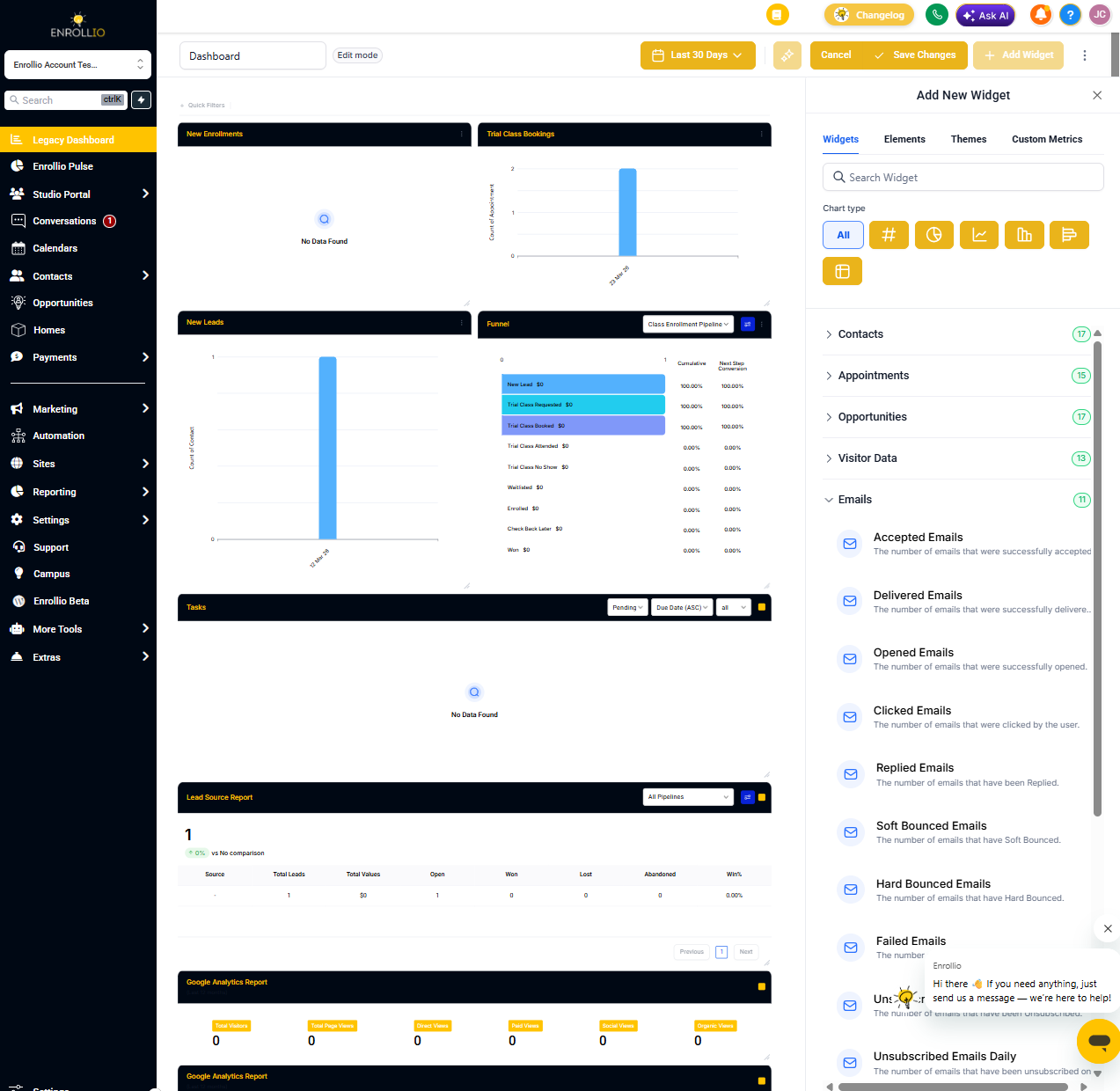
Email widgets help you track how your emails to families are performing. Add these widgets to your dashboard to monitor delivery, engagement, and issues at a glance.
Available Email Widgets
Accepted Emails
Shows the number of emails successfully accepted by Enrollio for delivery. This is your starting point — emails that passed initial validation and are ready to send.
Delivered Emails
Tracks emails that successfully reached family inboxes. This confirms your message made it through spam filters and delivery systems.
Opened Emails
Counts how many families opened your emails. Use this metric to gauge subject line effectiveness and overall engagement with your communications.
Clicked Emails
Shows emails where recipients clicked on links — like tour booking pages, enrollment forms, or policy documents. This indicates strong interest and engagement.
Replied Emails
Tracks emails that received direct replies from families. These represent active conversations and opportunities to connect.
Soft Bounced Emails
Displays temporary delivery issues like full inboxes or temporary server problems. These emails may deliver successfully on retry.
Hard Bounced Emails
Shows permanent delivery failures — usually invalid email addresses. Remove these contacts or update their email addresses to maintain good sender reputation.
Failed Emails
Counts emails that couldn't be delivered for various reasons. Review these to identify patterns and fix issues.
Unsubscribed Emails
Tracks total families who opted out of your emails. Monitor this to ensure your content stays relevant and valuable.
Unsubscribed Emails Daily
Shows daily unsubscribe counts. Use this to identify if specific campaigns or content types cause higher opt-outs.
Emails By Domain
Groups your emails by recipient domain (Gmail, Outlook, Yahoo, etc.). This helps identify if certain email providers are blocking or filtering your messages.
Adding Email Widgets to Your Dashboard
- Go to your Enrollio Dashboard
- Click Add Widget
- Select Email Widgets from the category list
- Choose the specific metrics you want to track
- Arrange widgets to create your ideal view
What These Metrics Tell You
Your email metrics reveal how well your family communications are working:
- Low open rates? Test different subject lines or send times
- Good opens but few clicks? Make your calls-to-action clearer and more compelling
- High bounce rates? Clean up your contact list and verify email addresses during enrollment
- Increasing unsubscribes? Review your email frequency and content relevance
Use these insights to improve how you communicate with current and prospective families.