
If you have team members across different time zones, you can personalize your dashboard experience with the timezone switcher. Each user can set their preferred timezone for viewing dashboard data.
How to Change Your Dashboard Timezone
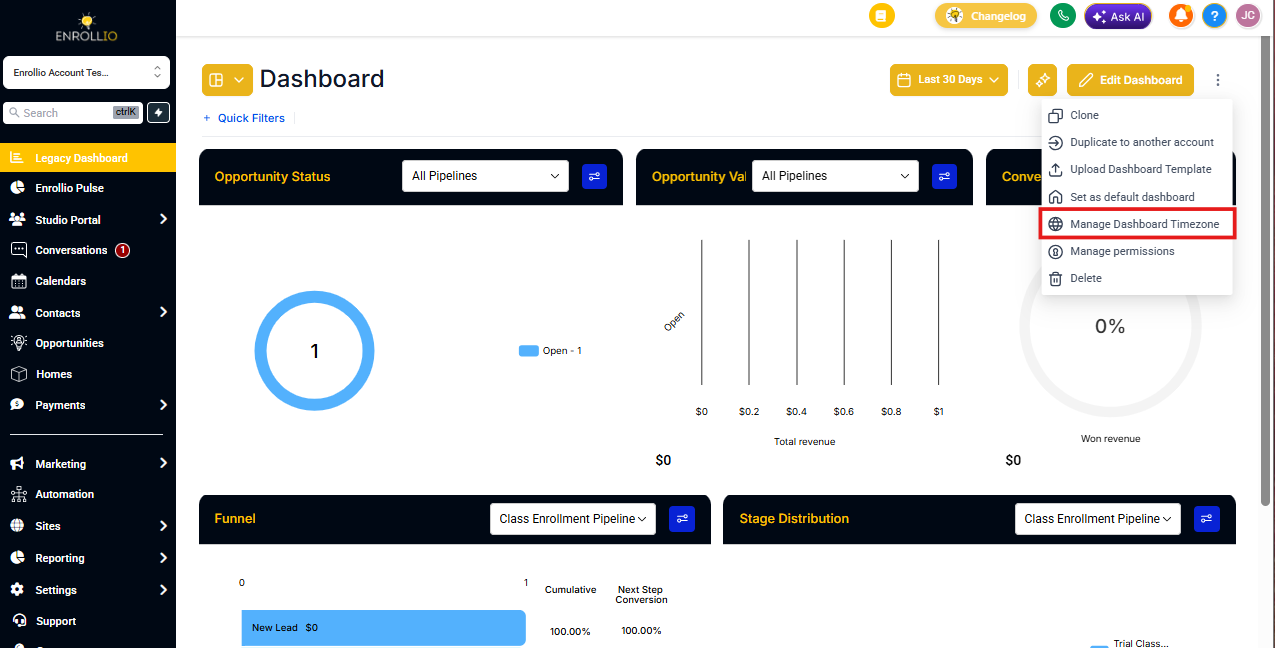
- Open any dashboard (private or shared)
- Click the 3-dot menu in the top right corner
- Select "Manage Dashboard Timezone"
- Choose your desired timezone from the dropdown
- Click Save
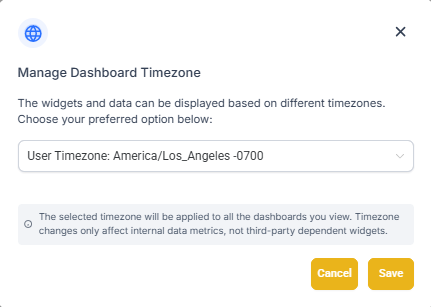
Note: Your selected timezone will apply to all dashboards you view in Enrollio. This helps ensure your enrollment data, tour schedules, and activity reports display in your local time.
Who Can Use This Feature
Anyone with dashboard access can change their timezone preference. This is available across all plans and roles, so every team member can view data in their local time.
This is especially helpful for:
- Multi-location childcare centers operating across time zones
- Enrollment teams working remotely
- Directors reviewing daily tour and enrollment activity