
What's New?
You can now link text and date fields in your documents and contracts directly to custom values stored in parent records. This means when a parent signs a document, the information they enter automatically updates their profile — no manual data entry required.
Key Features:
- Linked Text and Date Fields: Connect document fields to custom values in parent profiles or document records
- Flexible Linking: Link a single field to multiple custom values if needed
- Automatic Updates: Once signed, the information flows directly into parent records
- CSV Download: Export all completed field data from your dashboard for reporting and tracking
How to Link Fields to Custom Values
Step 1: Create Your Document
- Go to Documents & Contracts
- Open the editor and create a new document
- Drag text or date fields wherever you need parent information
Step 2: Link Fields to Custom Values
- Add a recipient to your document
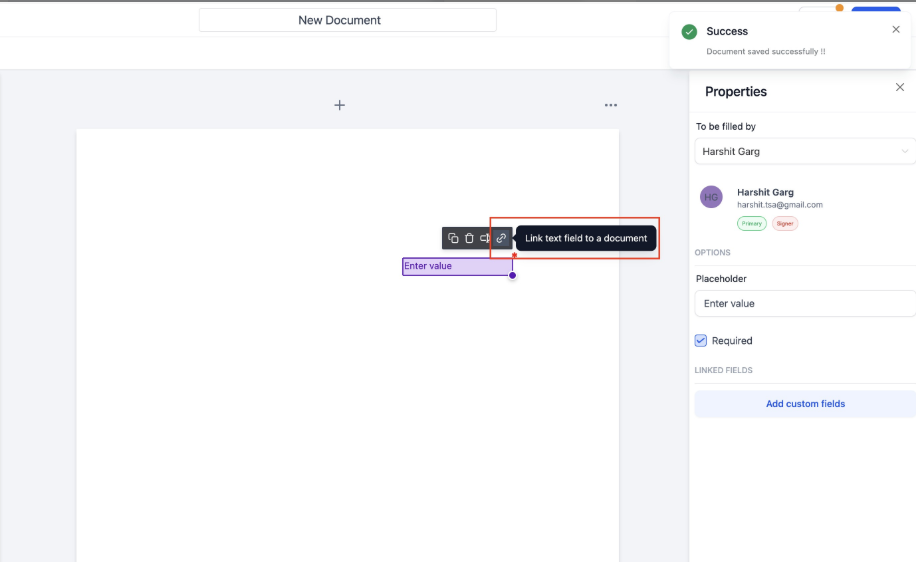
- Click the link button that appears on top of any text or date field
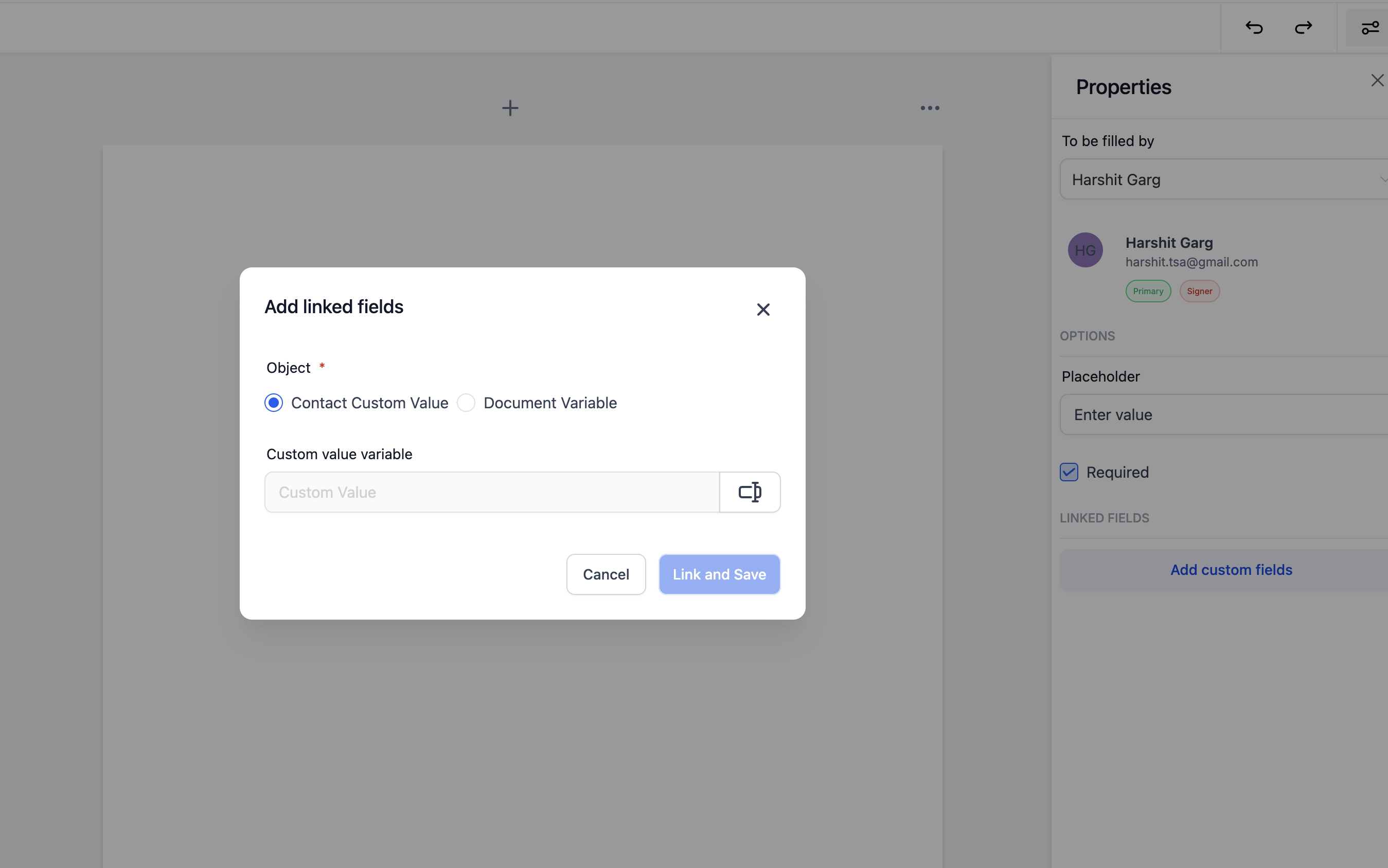
- Select which custom value this field should update (parent or document record)
- Link the same field to multiple custom values if you need the data in multiple places
Step 3: Send and Track
Once the parent signs the document, the linked fields automatically update in their record. No manual copying or pasting required.
Step 4: Download Your Data
To view all completed field data:
- Go to your Documents & Contracts dashboard
- Click Download CSV
- Review all filled fields for reporting or record-keeping
Why This Matters
Save time on data entry. Instead of manually copying information from signed documents into parent profiles, everything syncs automatically.
Keep records accurate. Eliminate transcription errors by letting parents enter their information directly into the source of truth.
Export when you need it. Download a complete CSV of all document field data for your state licensing reports or internal tracking.
What's Coming Next
We're working on extending this feature to support enrollment opportunity custom values, so you can link document fields to specific enrollment records as well.