
Stay on top of new inquiries by automatically notifying yourself or your staff when a prospective family enters your system. You can send email, text message, or in-app notifications instantly.
How to Set Up Internal Notifications
Internal notifications let you alert staff members (or yourself) whenever something happens in Enrollio — like a new inquiry coming in.
Step 1: Create Your Automation
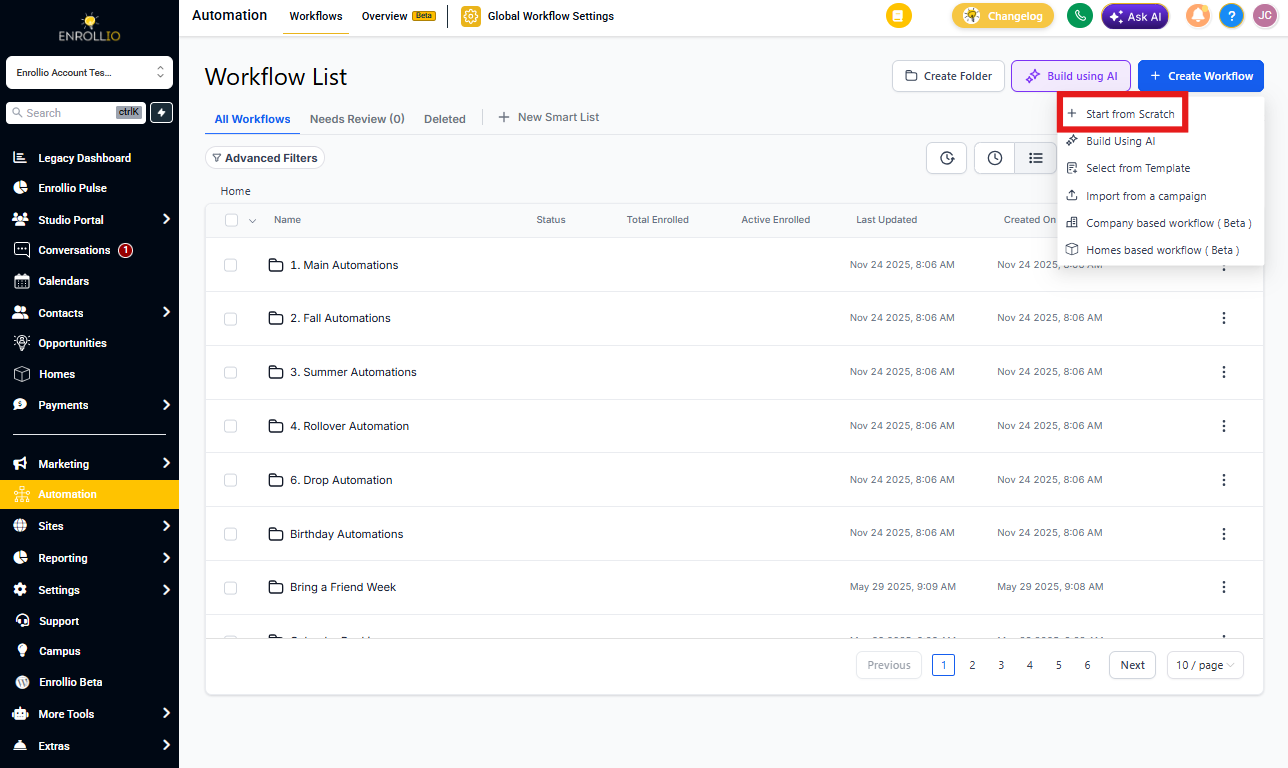
- Click Automations in the left navigation
- Click Create Automation
- Select Start from scratch
- Click Add New Automation Trigger
Step 2: Configure Your Trigger
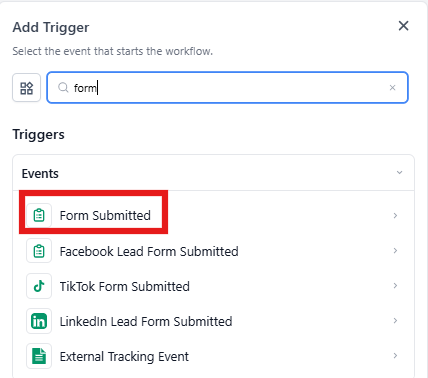
Choose what event should start this automation. For new inquiries, you might select triggers like:
- Prospective Family Added — fires when any new family enters your system
- Form Submitted — fires when someone submits your inquiry form
- Tag Applied — fires when a specific tag is added to a family record
Step 3: Add Your Notification Action
Once your trigger is configured:
- Click Add Action below your trigger
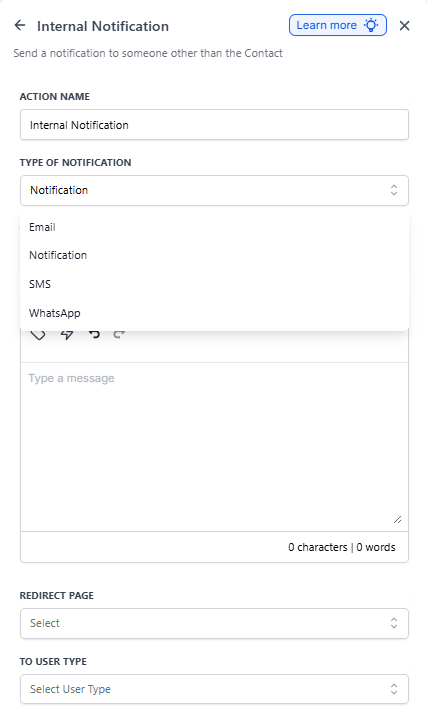
- Select Send Internal Notification
- Choose your notification type:
- Email — sends to your staff member's email address
- Text Message — sends to your staff member's phone
- In-App — displays a notification inside Enrollio
- Select which staff member(s) should receive the notification
- Customize your notification message
Rate Limits on Notifications
To keep your Enrollio account running smoothly, we apply rate limits to internal notifications:
- 500 notifications per 5 minutes per staff member, per automation
- This applies separately to each notification type (email, text, in-app)
- Any notifications beyond this limit are skipped
Why These Limits Exist
Rate limits prevent system slowdowns and protect your inbox. Here's a real scenario we've seen:
A center imported 50,000 old parent records and accidentally triggered an automation that sent an internal notification for each one. Without rate limits, this would send 50,000 emails to the director's inbox in minutes — overwhelming their email and slowing down the entire Enrollio platform.
Rate limits catch these situations automatically, ensuring your automations work reliably for everyday use while preventing accidental floods.
Common Use Cases
Here are popular ways childcare centers use internal notifications:
- New inquiry alerts — notify your enrollment coordinator instantly when someone fills out an inquiry form
- Tour scheduled — alert the director when a tour is booked
- Waitlist movement — notify staff when a spot opens and a family moves off the waitlist
- Enrollment milestone — alert your team when a family completes their enrollment paperwork
- Payment received — notify your admin when a registration fee is paid