
What You'll Learn
SMS verification helps you collect accurate phone numbers from families by requiring them to verify their number before submitting a form or survey. This quick guide shows you how it works and why it matters for your enrollment process.
What's New with SMS Verification
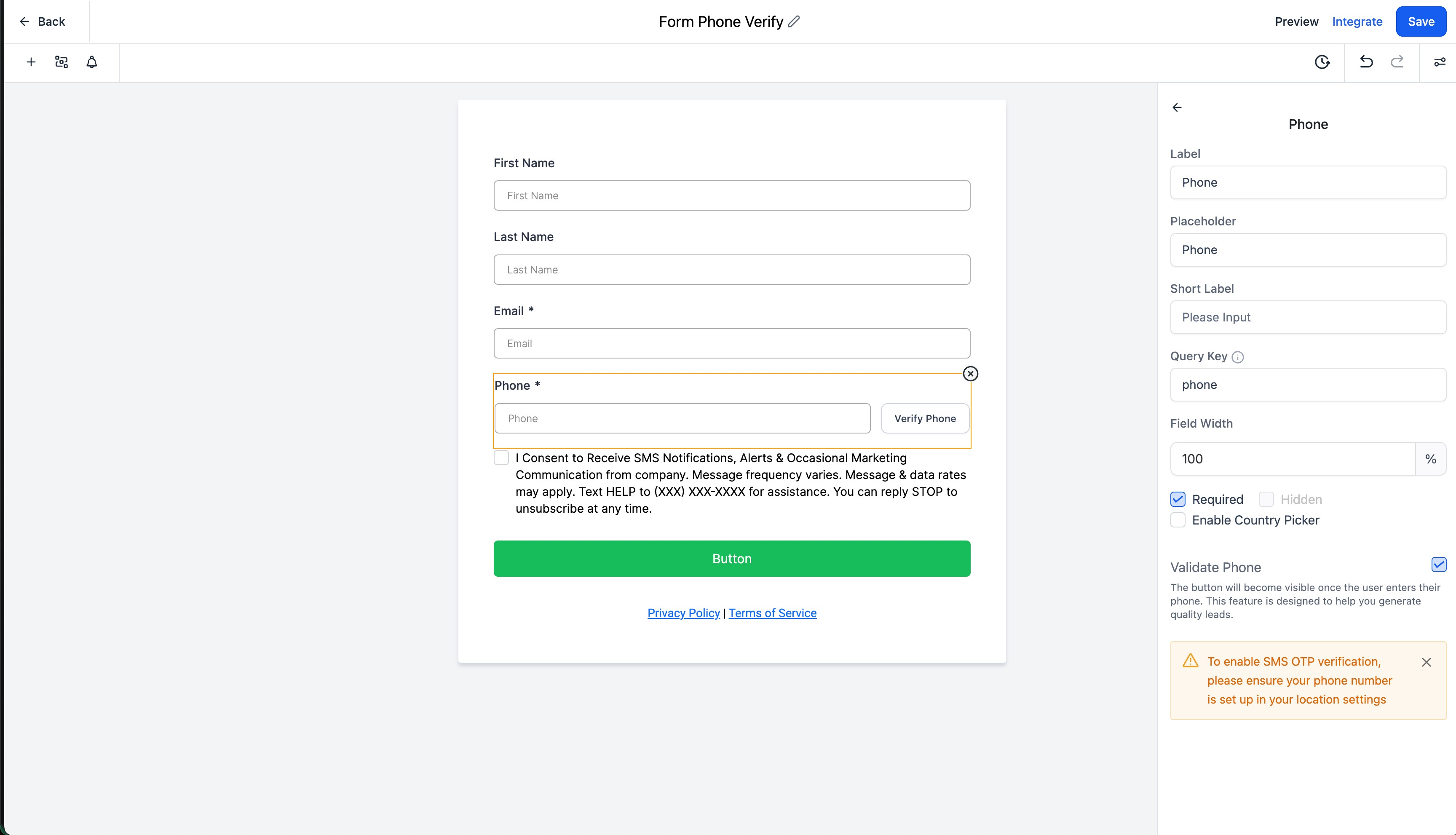
Verify Phone Button: A "Verify Phone" button appears next to the phone number field in your forms and surveys.
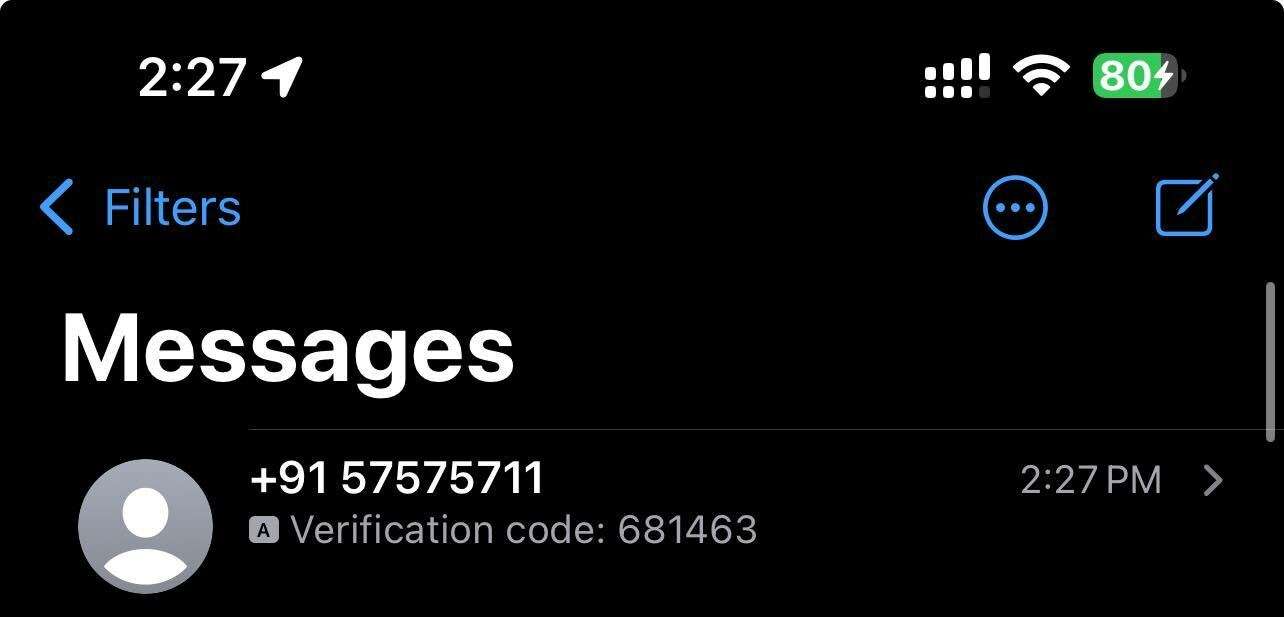
Verification Code: Parents receive a unique code via text message, which they enter to confirm their phone number.
Better Data Quality: This feature reduces errors and fake submissions by ensuring phone numbers are valid and belong to the person filling out the form.
Simple for Parents: The verification process is quick and intuitive — most parents complete it in seconds.
Phone Verified Field: When a parent successfully verifies their number, you'll see "Yes" in the "Phone Verified" field on form submissions. This makes it easy to identify which contacts have verified numbers.
Billing Note: Verification text messages are billed based on standard messaging rates in your plan.
How SMS Verification Works
Here's what parents experience when filling out a form with SMS verification enabled:
- Parent enters their phone number in the form
- The "Verify Phone" button appears next to the phone field
- Parent clicks the button and receives a verification code via text
- Parent enters the code into the form to verify their number
- Form submission completes with verified phone number
Why Use SMS Verification?
Accurate phone numbers are critical for your childcare center. Here's why verification matters:
Reach Parents Reliably: You know every verified number belongs to a real parent who can receive your important messages about tours, enrollment updates, and daily operations.
Reduce No-Shows: When you can confidently text tour reminders or enrollment deadlines, families are more likely to stay engaged.
Stop Fake Submissions: Verification significantly reduces spam and fake form submissions, saving you time sorting through enrollment inquiries.
Build Your Database Right: Start with clean, verified contact data from day one — no more wondering if that parent's number is real or if they'll ever see your texts.
Pro Tip
Consider using SMS verification on your tour request forms and waitlist signup forms where accurate phone numbers matter most. For simpler contact forms, you might skip verification to reduce friction.
Viewing Verified Phone Numbers
After a parent submits a form with verified phone number, you'll see the verification status in two places:
- In the form submission details under "Phone Verified: Yes"
- In the parent's contact record in your Enrollio dashboard
Common Questions
What if a parent doesn't receive the code? They can click "Verify Phone" again to request a new code. Check that they entered their number correctly with the right country code.
Does this work internationally? Yes, SMS verification works with international phone numbers as long as the parent can receive text messages.
Can I make verification optional? The verification button appears automatically when you add a phone field to your form. Parents must verify before they can submit if the phone field is required.