
Removing a Dashboard Widget
Need to clean up your dashboard? You can remove any widget you've added in just a few clicks.
Step 1: Switch to Edit Mode
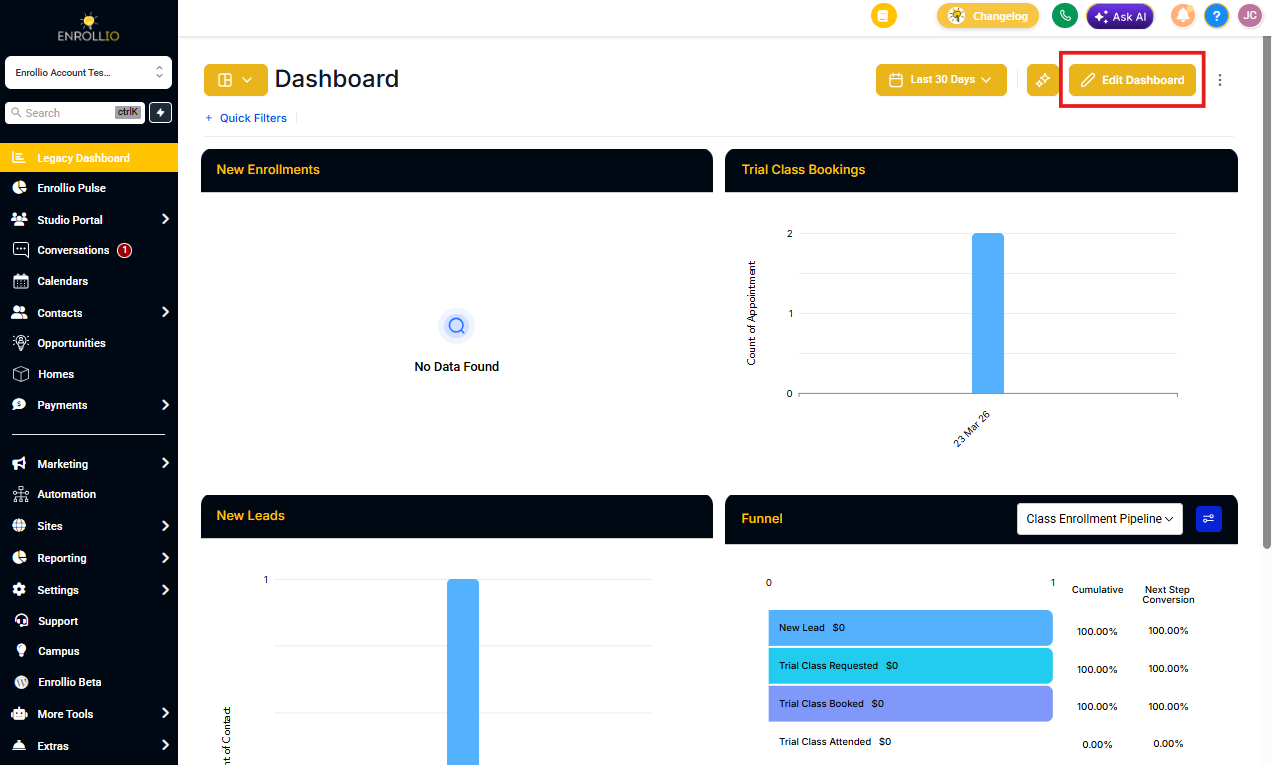
From your Enrollio Dashboard, click the EDIT button in the top-right corner.
Step 2: Delete the Widget
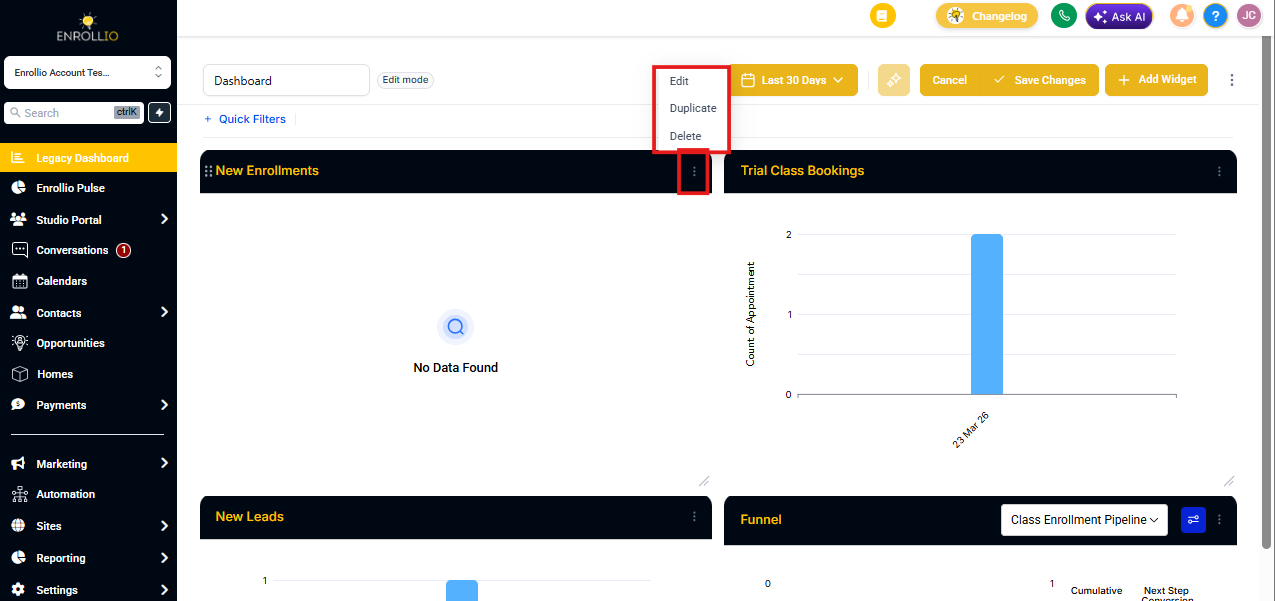
Find the widget you want to remove. In the upper-right corner of that widget, click the three-dot menu icon.
A dropdown menu will appear. Select DELETE.
Step 3: Save Your Changes
Click Save Changes in the top-right corner to finalize your updated dashboard.
Note: Custom dashboards are available on the Professional plan and above. If you're on a Starter or Growth plan and want to customize your dashboard, consider upgrading to unlock this feature.