
Save time by cloning your existing dashboards instead of building them from scratch. This guide shows you how to duplicate any dashboard in your Enrollio account.
What You'll Learn
- How to open and select a dashboard
- How to clone a dashboard
- How to configure your cloned dashboard
Step 1: Open the Dashboard You Want to Clone
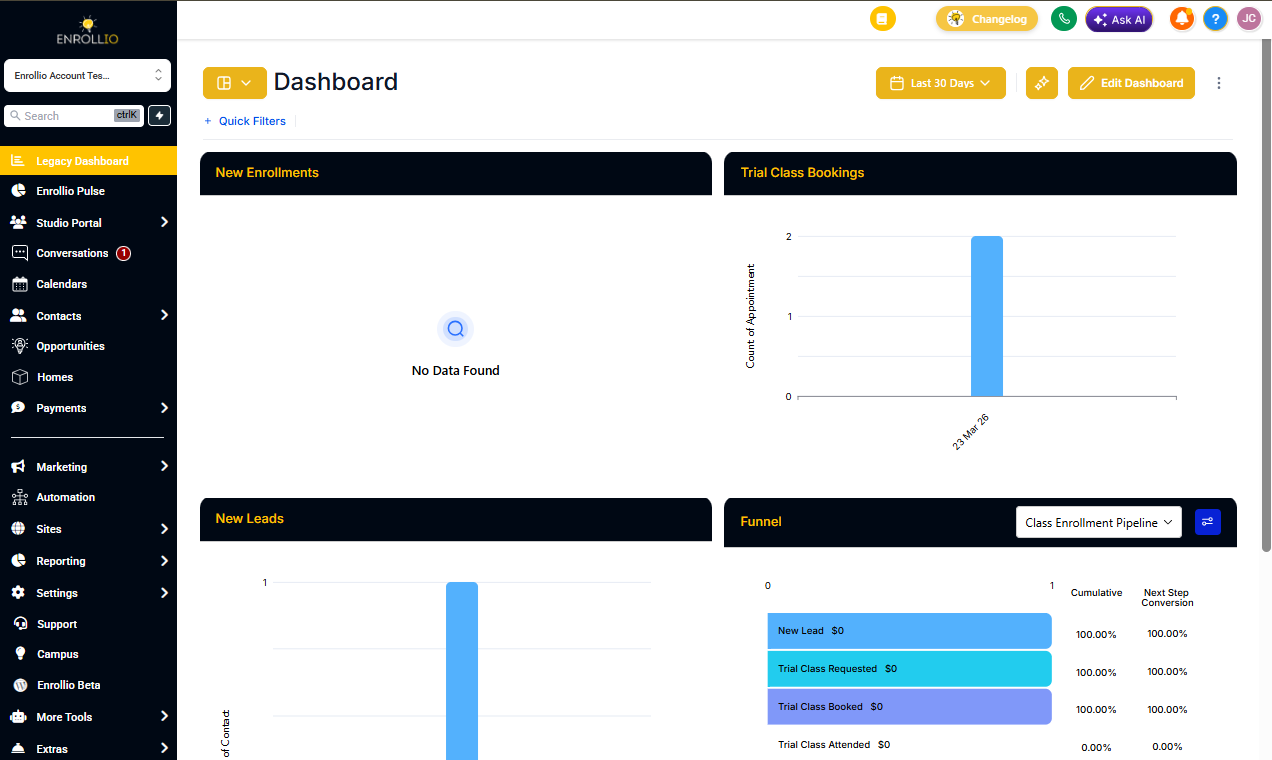
Navigate to Client Account Dashboard and click the dashboard selection menu at the top of the page.
Browse or search for the dashboard you want to clone, then click to open it.
Step 2: Clone the Dashboard
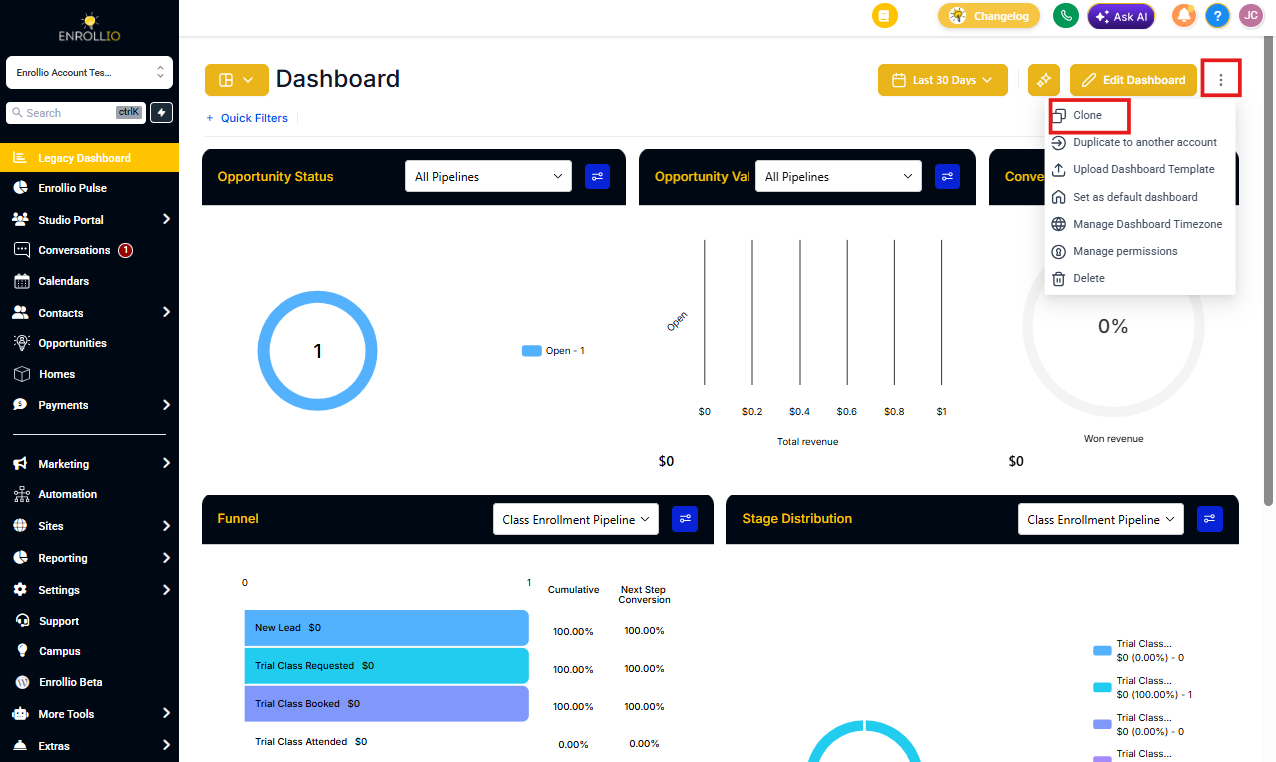
With your dashboard open, click the three-dot menu in the top right corner.
Select Clone from the dropdown menu.
Step 3: Configure Your Cloned Dashboard
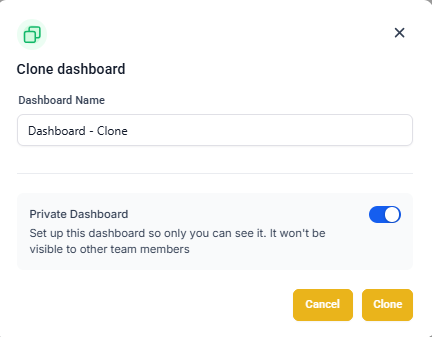
In the Clone Dashboard window that appears:
- Enter a name for your new dashboard
- Set the privacy and access permissions (who can view or edit this dashboard)
- Click Clone to create your duplicate
Your new dashboard will appear with all the same widgets and layout as the original.
Pro Tip: Cloning is perfect when you want to create similar dashboards for different staff members or track the same metrics across multiple locations. Clone once, then customize each copy as needed.
What's Next
After cloning your dashboard, you can:
- Edit the widgets to customize your data views
- Pin it as a favorite for quick access
- Share it with specific team members