
Track Every Step of Your Document Journey
When you send enrollment forms, parent handbooks, or tuition agreements, you need to know exactly what's happening. Did parents view it? Did they sign it? Are they stuck somewhere?
Now you can see the complete history of every document — from sent to signed — without opening each one individually.
What You Can Track
Every document in Enrollio shows you:
- Sent status — when you sent it and to whom
- Viewed status — when parents last opened the document
- Edited status — any changes made to the document
- Signed status — completion and signature timestamps
This means no more guessing whether that enrollment packet is sitting in a parent's inbox or actually being reviewed.
How to Check Document Status Quickly
The fastest way to check on a document is right from your dashboard:
- Open Documents and Contracts
- Find the document you want to check in the list
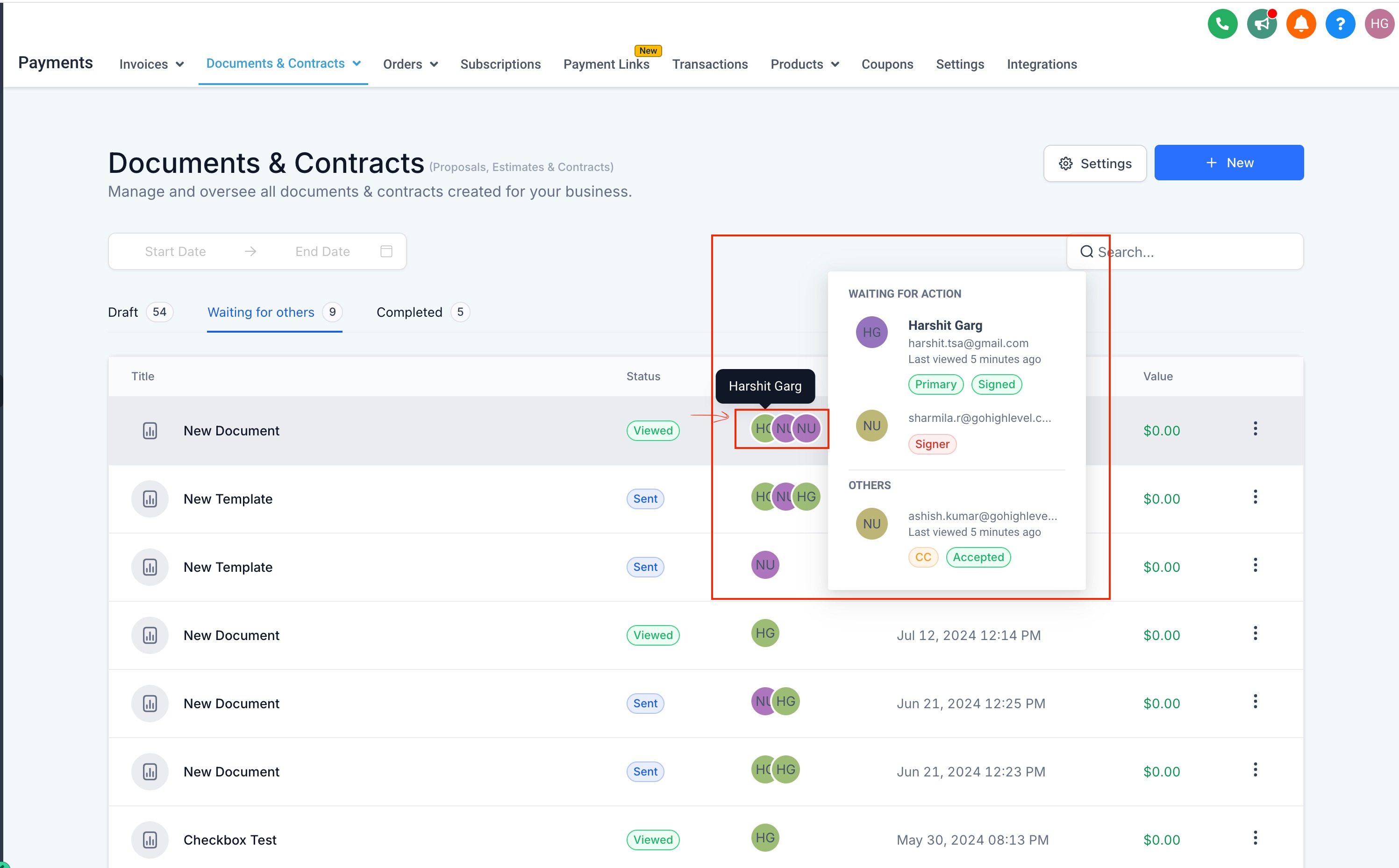
- Hover your cursor over the parent icons next to the document
You'll instantly see:
- When each parent last viewed the document
- What action they need to take next (view, fill out, sign)
- Current status tags for everyone involved
View Complete Document History
For a detailed timeline of everything that's happened with a document:
- Find your document in the Documents and Contracts list
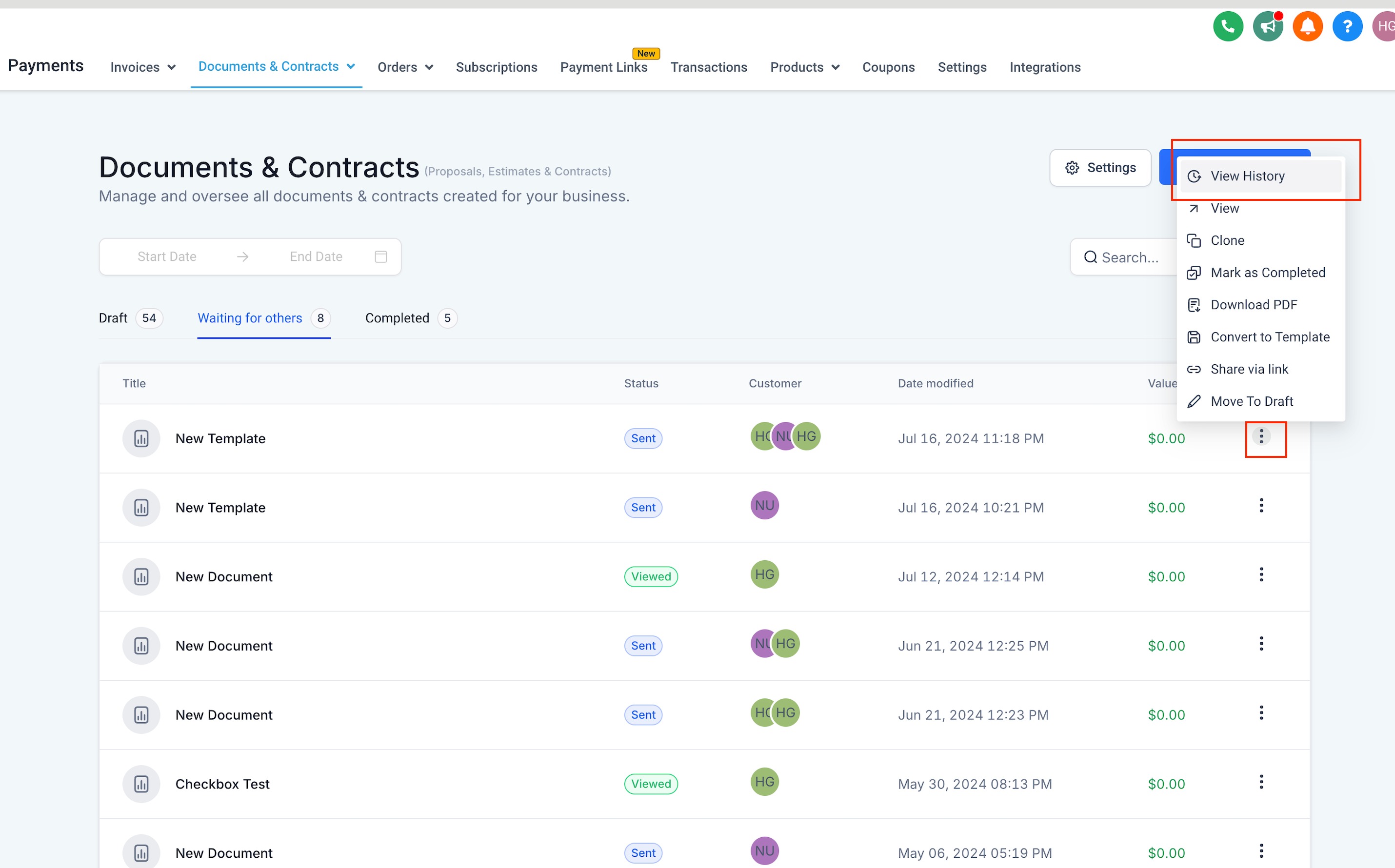
- Click the three dots (•••) next to the document
- Select View History
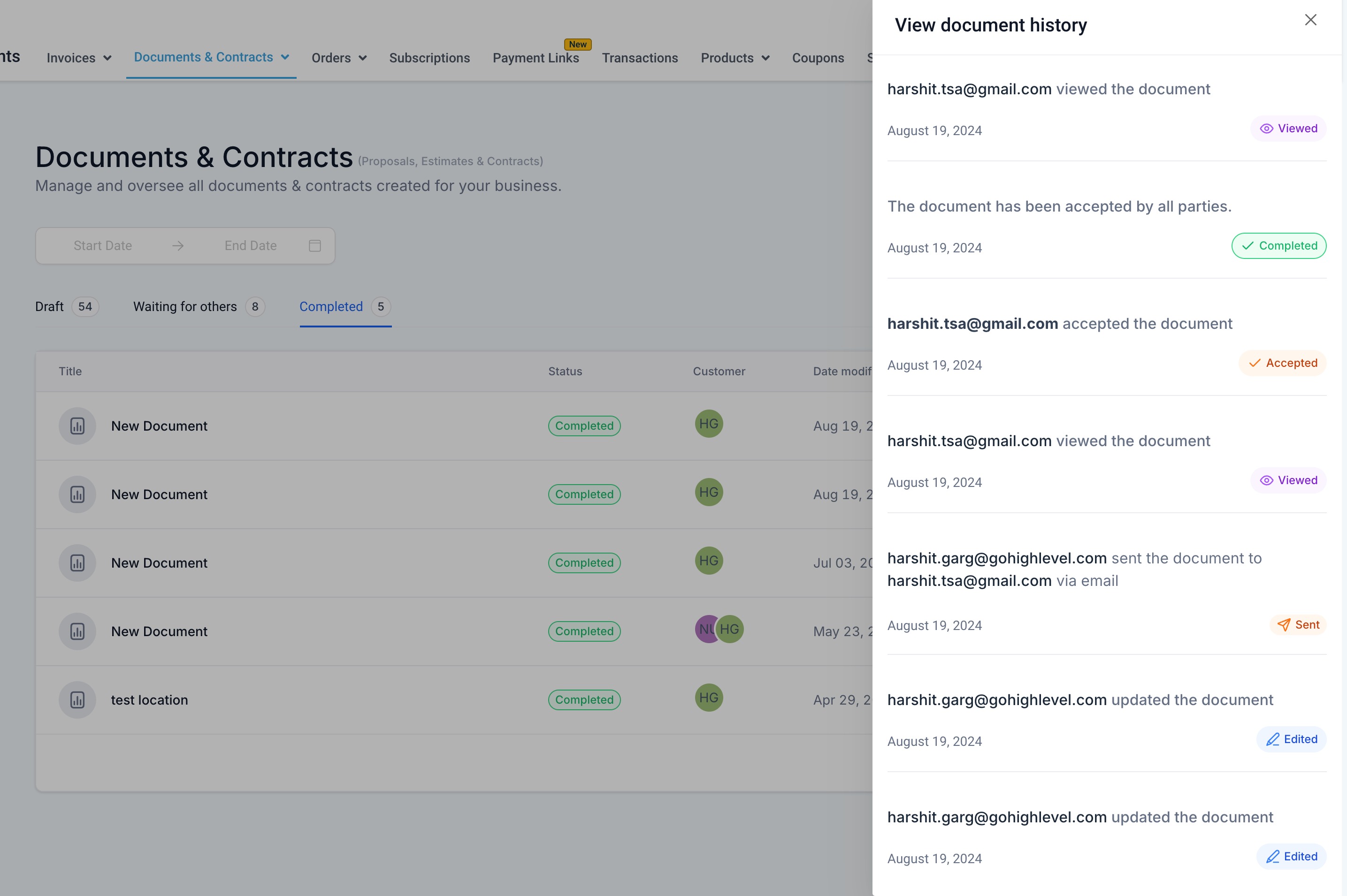
A drawer opens on the right side showing every action in chronological order — who viewed it, when they signed it, any edits made, and more.
Pro Tips
Follow up at the right time: If you see a parent viewed your enrollment form but hasn't signed it, that's your cue to send a friendly reminder or give them a call.
Track multiple recipients: When you send a document to both parents, you'll see separate status icons for each one. This helps you know if one parent is waiting on the other.
Why This Matters for Your Center
Before this tracking, you had to open each document individually to check its status. Now you can:
- See at a glance which families need follow-up
- Know exactly where each enrollment stands
- Speed up your document completion rates with timely reminders
- Spend less time checking status and more time connecting with families
Important Note
The "last action time" in the hover preview only appears for documents sent after this feature was released. Documents sent before September 2024 will show current status but won't have historical timestamps.