
General Settings - Business Profile
These settings impact data quality, scheduling, and message deliverability across Enrollio. Review each setting carefully and align your choices with how your center handles inquiries, tours, and family communication.
After updating any settings, save your changes and test a few key actions — like form submissions, tour bookings, and sending a sample email — to confirm everything works as expected.
For an overview of Business Profile Settings and how to access this panel, see: Business Profile Settings Overview
Table of Contents
- General Section Overview
- Duplication in Enrollment Opportunities
- Merge Facebook Contacts by Name
- Disable Contact Timezone
- Bot Detection
- Number Intelligence Settings
- Verify Email Address on First Send
- SMS Compliance Settings
- Email Compliance and Unsubscribe Links
General Section Overview
This section of your Business Profile controls critical platform behaviors. Pay close attention — many common issues with parent contacts, tour scheduling, and messaging can be traced back to these settings.
If you're experiencing unexpected behavior in your Contacts section, check here first. You may have inadvertently toggled something that's affecting your workflows.
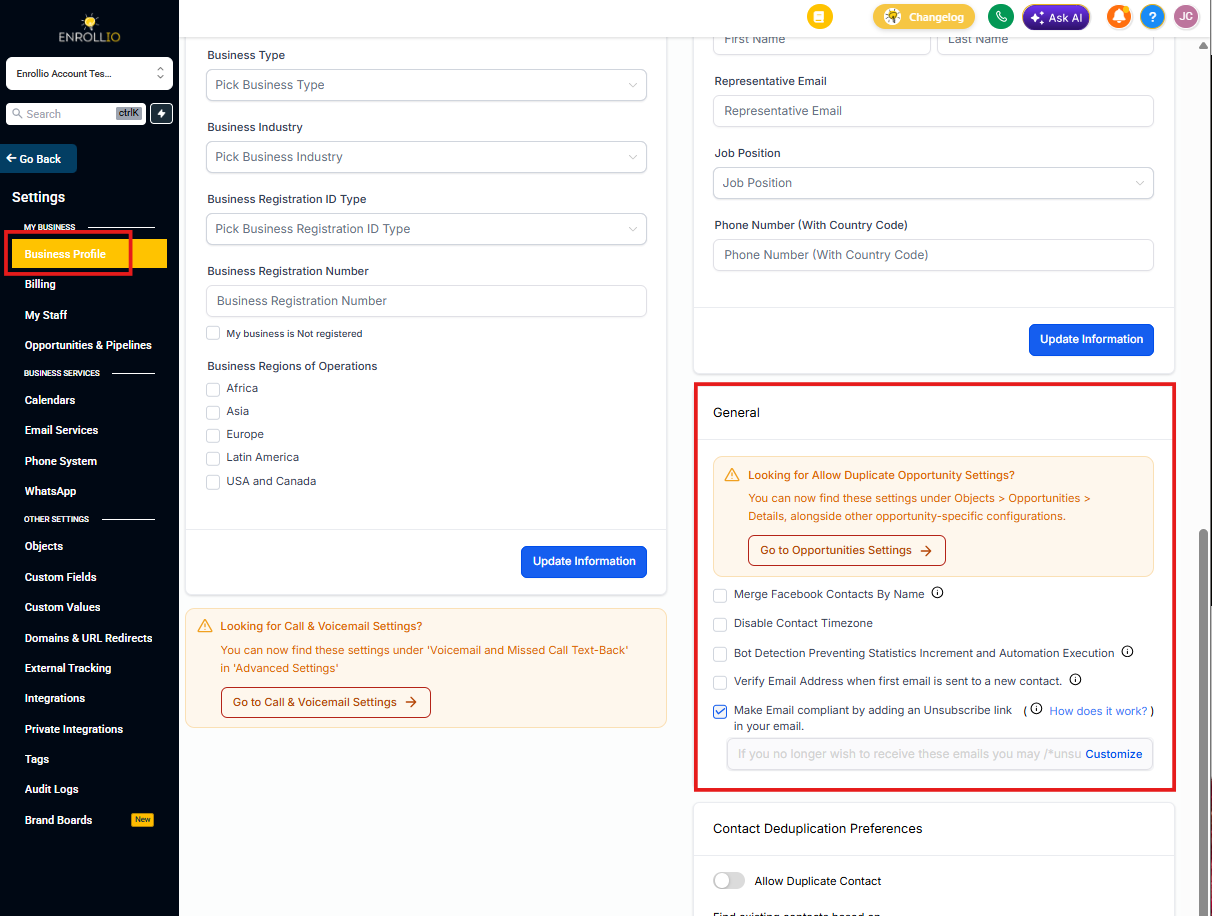
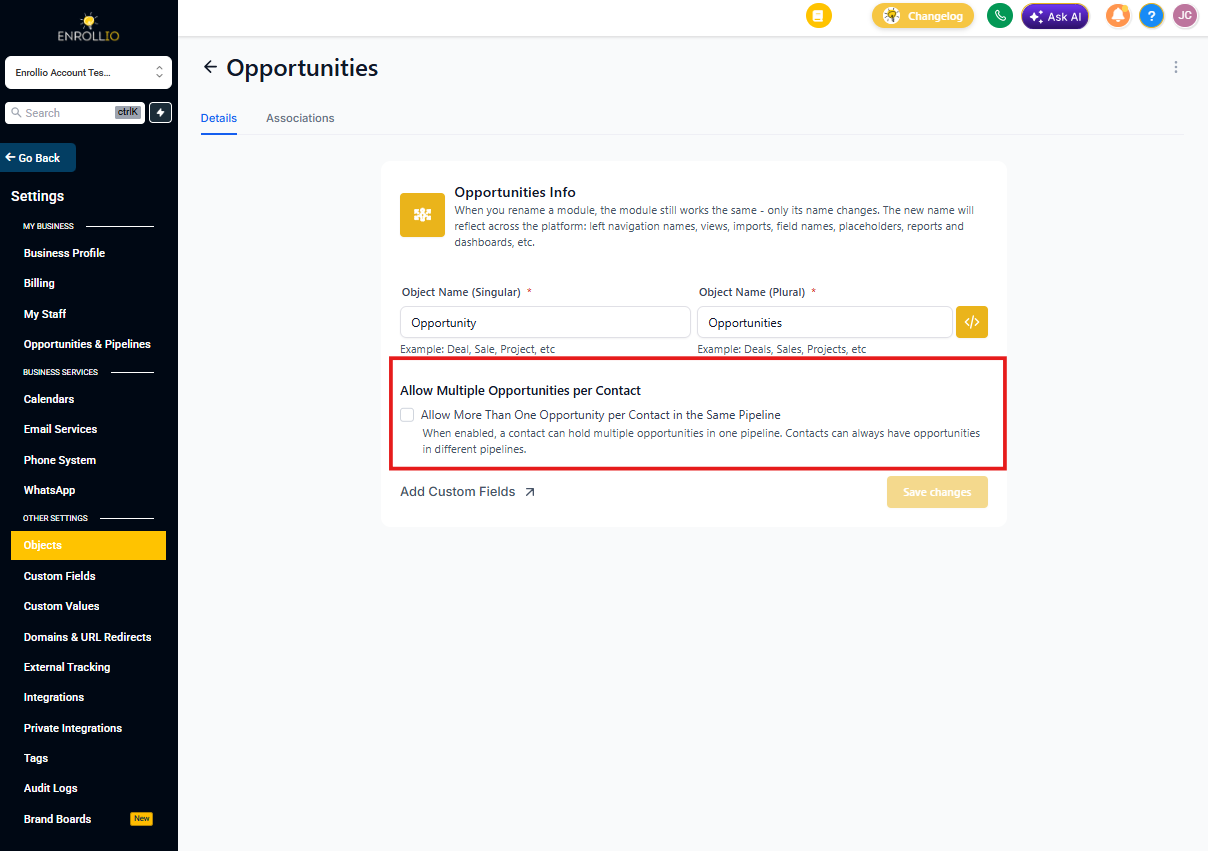
Duplication in Enrollment Opportunities
When this setting is turned ON, Enrollio will allow duplicate enrollment opportunities to be created in the same enrollment pipeline.
With this enabled, new opportunities are created in the same pipeline instead of moving an existing opportunity from one stage to another. This can be useful for centers that track multiple children from the same family separately, or who want to preserve a complete history of all enrollment attempts.
Where to find it: This setting has moved to Objects > Opportunities > Details, alongside other enrollment opportunity configurations. Click the Go to Opportunities Settings button to navigate directly there.
Merge Facebook Contacts by Name
When families message your center through Facebook Messenger, Enrollio creates a new contact record. This happens because Facebook only sends us the sender's name — not their phone number or email address.
Turn this setting ON to automatically merge Facebook Messenger contacts into existing records with the exact same name. The name match is case-sensitive and must be perfect.
Pro tip: This works best for centers with unique parent names in their database. If you have multiple "Jennifer Smith" contacts, this feature may merge the wrong records.
Disable Contact Timezone
Using your contacts' timezones ensures messages arrive at appropriate times. For example, if you schedule an email for 8 AM Eastern but a parent is in California (Pacific time), that's 5 AM their time — not ideal for engagement.
Enrollio automatically considers each parent's timezone when sending messages. Only turn this setting ON if you want to ignore individual timezones and use your center's timezone for all families.
We recommend: Leave this OFF so your messages arrive at the right local time for each family.
Bot Detection
Email bots can artificially inflate your open and click rates, making your enrollment campaigns appear more effective than they actually are. This leads to misleading data when you're trying to understand which messages connect with prospective families.
Turn this setting ON to prevent bot actions from affecting your statistics and triggering automations.
Learn more about Bot Detection and Statistics
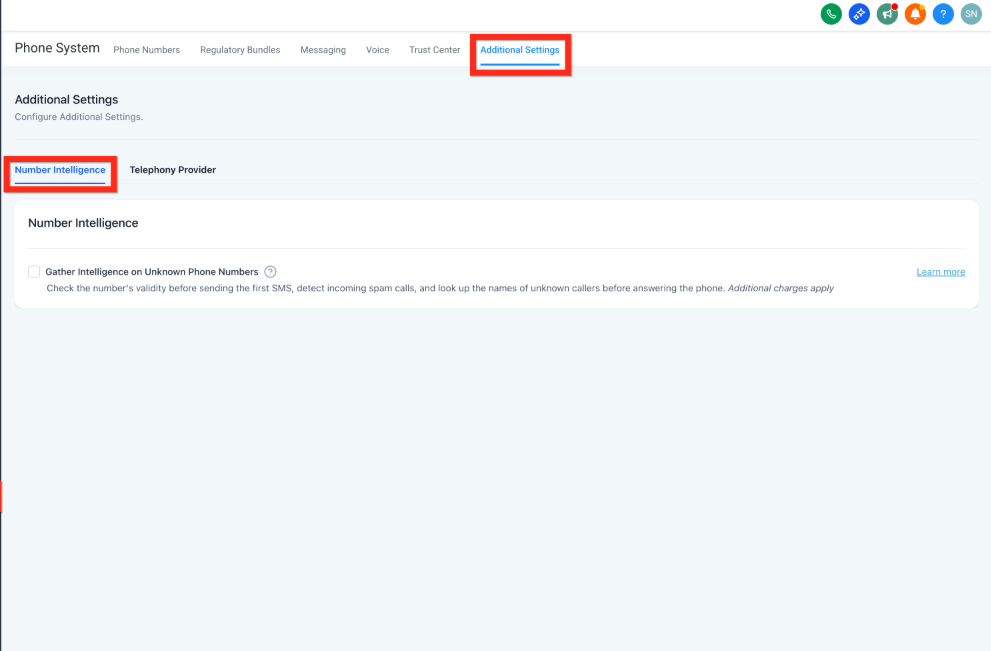
Number Intelligence Settings
Number Intelligence is a bundle of phone number verification checks. It ensures calling and texting work reliably, keeps messaging costs under control, and protects your center's reputation.
Where to find it: These settings have moved to Number Intelligence under Advanced Settings. Click the Go to Number Intelligence Settings button to access them directly.
Learn more about Number Intelligence
Verify Email Address on First Send
This feature automatically validates a parent's phone number the first time you send them a text message. If the number is marked as invalid, the message won't be sent and you'll need to update the contact's phone number before texting them.
Phone number validation costs $0.005 per attempt and is deducted from your account credits.
Why this matters: Invalid numbers waste messaging credits and can hurt your sender reputation. Validation helps ensure you're only texting real, working phone numbers.
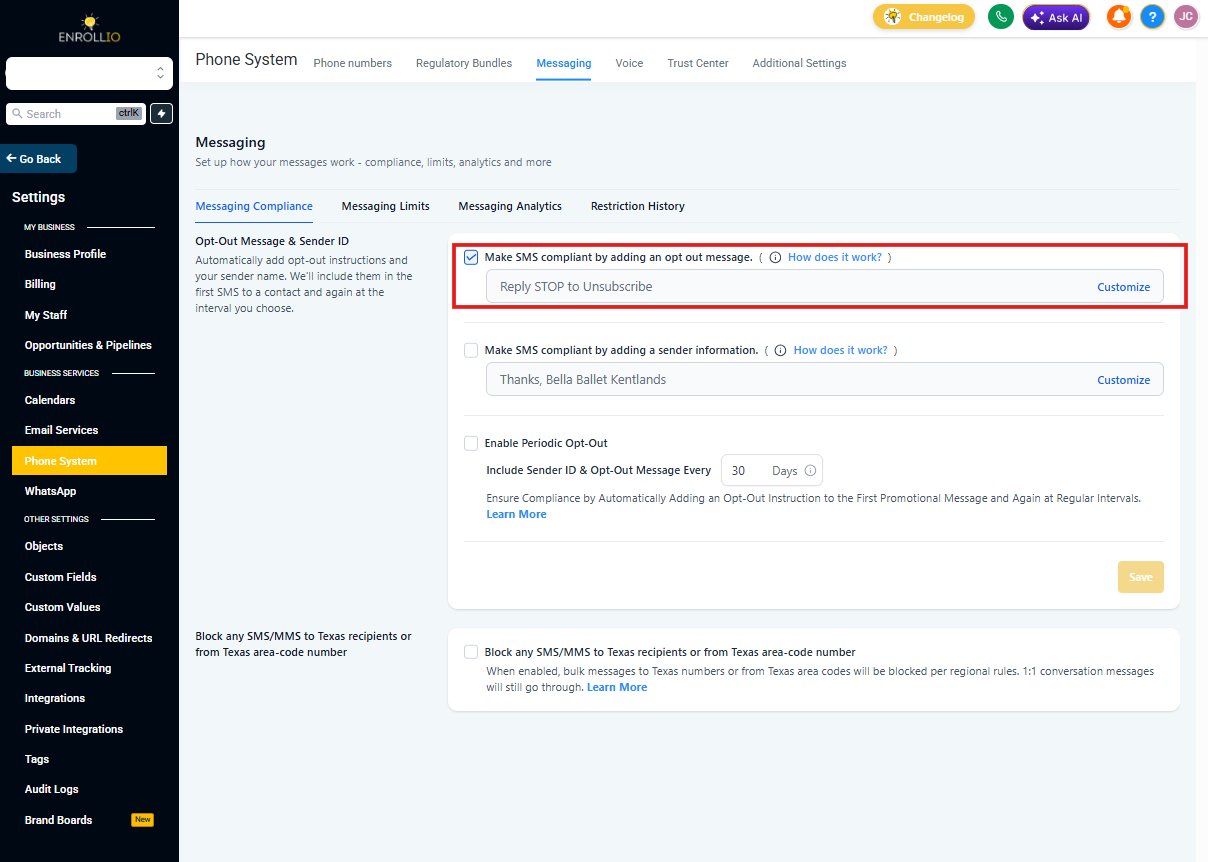
SMS Compliance Settings
Text message compliance is required by law and extremely important. Enrollio automatically configures opt-out messaging in all accounts by default to keep you compliant.
You can customize these opt-out messages, but we strongly recommend keeping them enabled.
Where to find it: These settings are now under SMS Compliance in Advanced Settings. Click the Go to SMS Compliance Settings button to access them.
Learn more about SMS Compliance
Email Compliance and Unsubscribe Links
Email regulations are constantly evolving to protect consumers. Enrollio automatically includes an unsubscribe link in all emails sent from your account to keep you compliant with these laws.
You can customize the unsubscribe link, but we strongly recommend keeping it enabled. This is turned on by default in all accounts.
Learn more about Email Unsubscribe Links
Best Practice: After adjusting any of these settings, test your key workflows. Send yourself a test email, book a sample tour, and submit a form to make sure everything behaves as expected. This simple check can prevent issues with real prospective families.