
Create your Brand Voice in seconds from a website URL or a 50–100 word description!
This article explains how to use your website or existing copy to generate a brand voice that you can use in AI tools across the platform.
Overview of Creating a Brand Voice from Text or URL
In a world where AI-generated content is everywhere, sounding like everyone else just won't cut it. Brand Voice turns your childcare center's tone, values, and messaging into a reusable voice that AI tools can use across Enrollio.
The "Create with Text or URL" feature lets you generate a complete Brand Voice in seconds. Just paste a short brand description (50–100 words) or provide your center's website URL—no manual setup required.
Once created, your Brand Voice powers AI across tools like:
- Enrollio Social Planner: When creating a post, just toggle on your Brand Voice. Whether you're writing headlines, captions, or full posts, AI will generate content that mirrors your tone and messaging.
- Enrollio AI: Your voice is now part of every interaction. Whether it's chat or voice, the AI adapts to sound more like you, improving engagement and building trust with families.
Key Benefits of Creating Your Brand Voice from Text or URL
- Faster Setup: Generate a ready-to-edit Brand Voice without starting from scratch.
- Flexibility: Tweak any generated field to match your exact style.
- Consistency: Apply one source of truth for messaging across AI tools and surfaces.
- Scalability: Create multiple Brand Voices for different programs, audiences, or locations.
- Accessibility: Use either a URL or a concise text description (50–100 words) if a URL isn't available.
How To Create Your Brand Voice from Text or URL
Enrollio makes it incredibly simple to set up your brand voice! Just follow these steps:
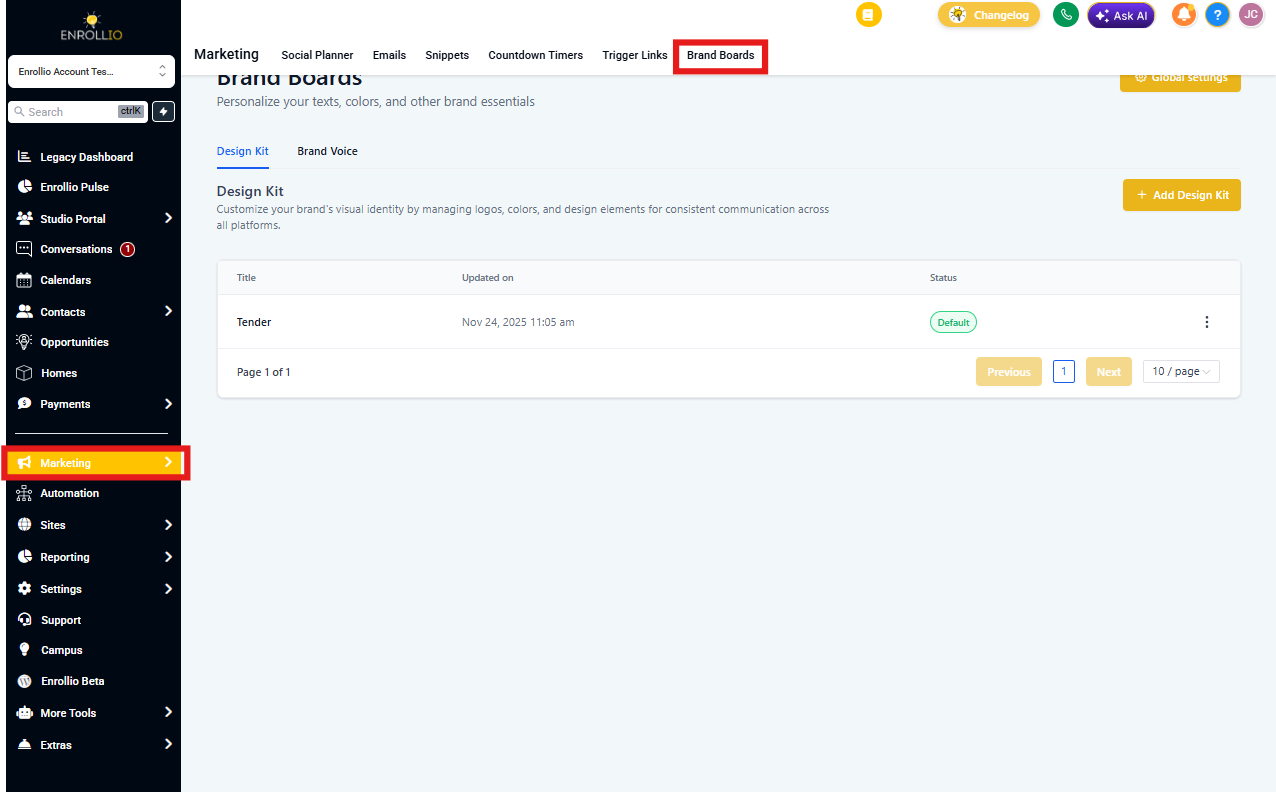
- Navigate to Marketing > Brand Boards > Brand Voice
- Click + Add Brand Voice
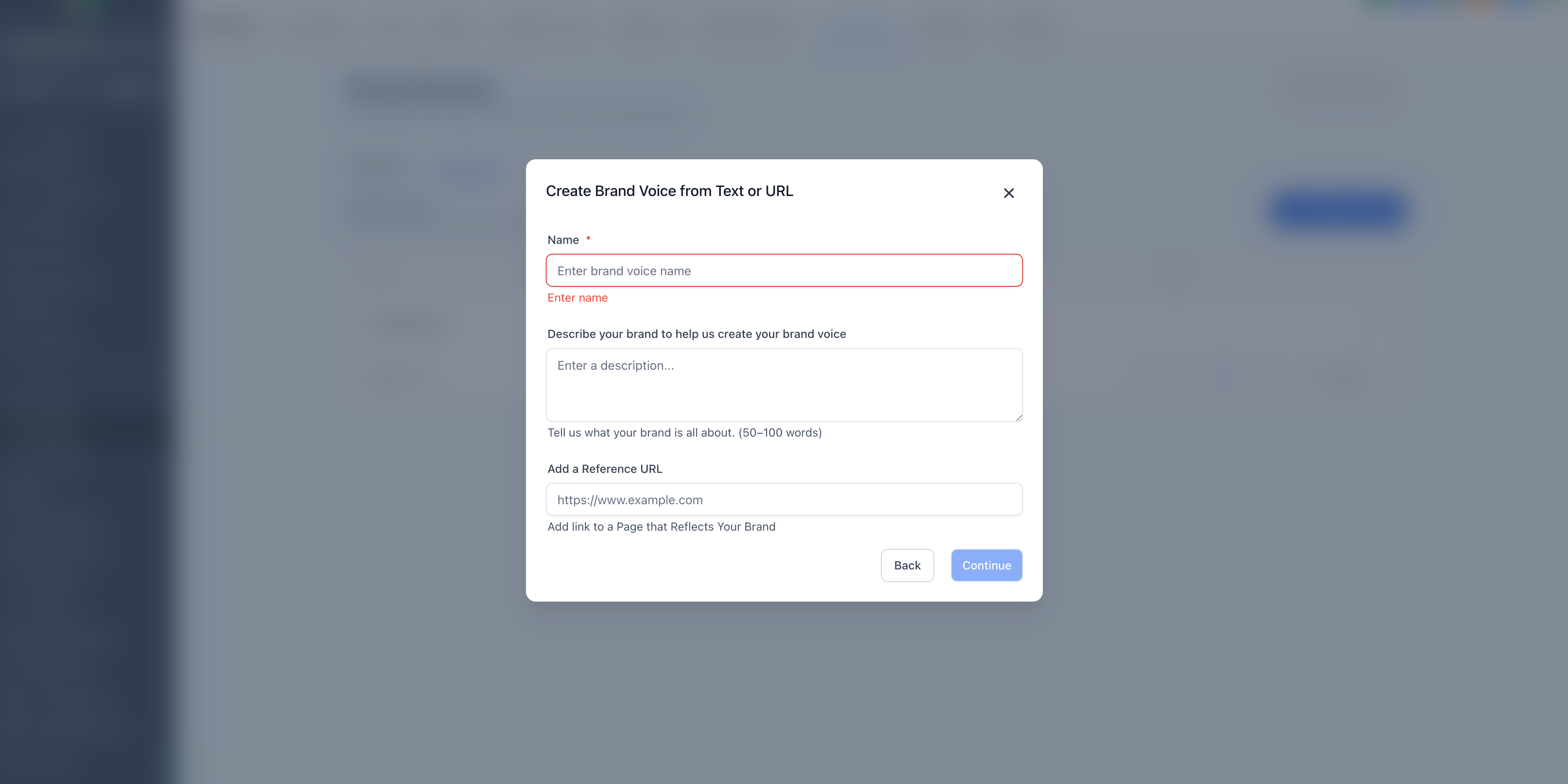
- Choose the Text or URL option
- Enter a name for this voice
- Provide either a URL to a page that reflects your brand or a 50–100 word description of your childcare center
- Your brand's tone, values, and messaging will be auto-generated using the info provided
- Review and refine the generated content, then click Save Brand Voice
Customize Your Brand Voice Messaging
Once Enrollio has generated your Brand Voice, you can easily tailor it to refine your brand promise, add or update brand values, or clarify your mission and tone. Everything is editable, so you can make sure it's dialed in before you apply it to your content.
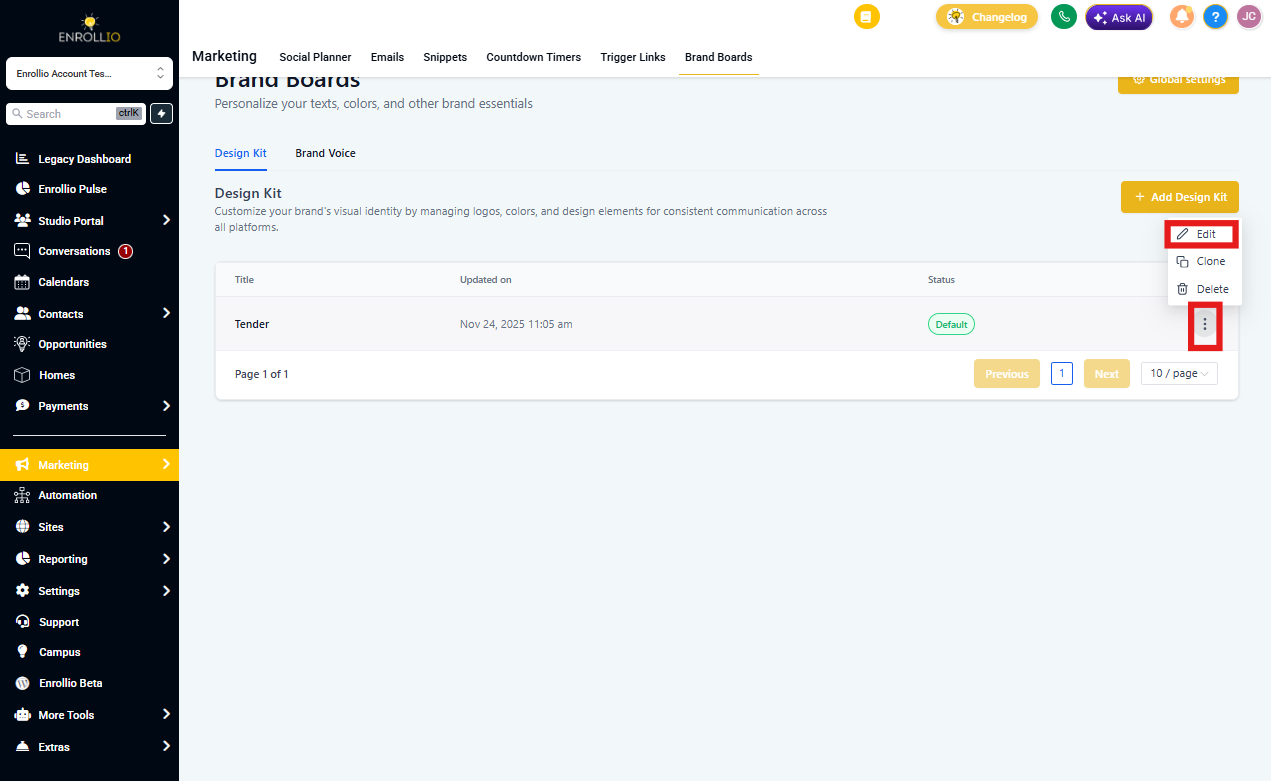
To edit your Brand Voice, click the 3 Dot icon then select Edit.
Frequently Asked Questions
Do I need to provide both text and a URL?
No. Provide either a 50–100 word description or a reference URL. Supplying both is optional.
Can I create multiple Brand Voices?
Yes. Create different voices for different programs, audiences, or campaigns. You can set one as Default and switch as needed.
Can I edit the generated voice?
Absolutely. All generated fields are fully editable!
What kind of page makes the best reference URL?
Choose a page with rich, representative copy about your brand. Your About page, detailed program page, or home page typically work best.