
What’s New
Studios can now set their preferred currency directly from Profile Settings. Once selected, this becomes the sub-account’s default currency across all payment-related flows.
If no currency is explicitly set, the system will continue following the existing behavior — using the currency based on the business’s country.
The default currency will automatically appear in:
Product creation and editing
Coupon setup
Charge Now flow
Checkout configurations and other payment-related pages
Where supported, you can still adjust the currency at the point of configuration or checkout, just like before.
Why This Matters
This update ensures consistency across your ecommerce setup and saves time when creating products, coupons, and checkout flows. Studios no longer need to manually select their preferred currency every time — reducing errors and streamlining setup.
What’s Next
Default currency visibility will expand to non-payment-related pending pages across the platform.
How to Set It Up
Go to Settings → Business Profile → Currency.
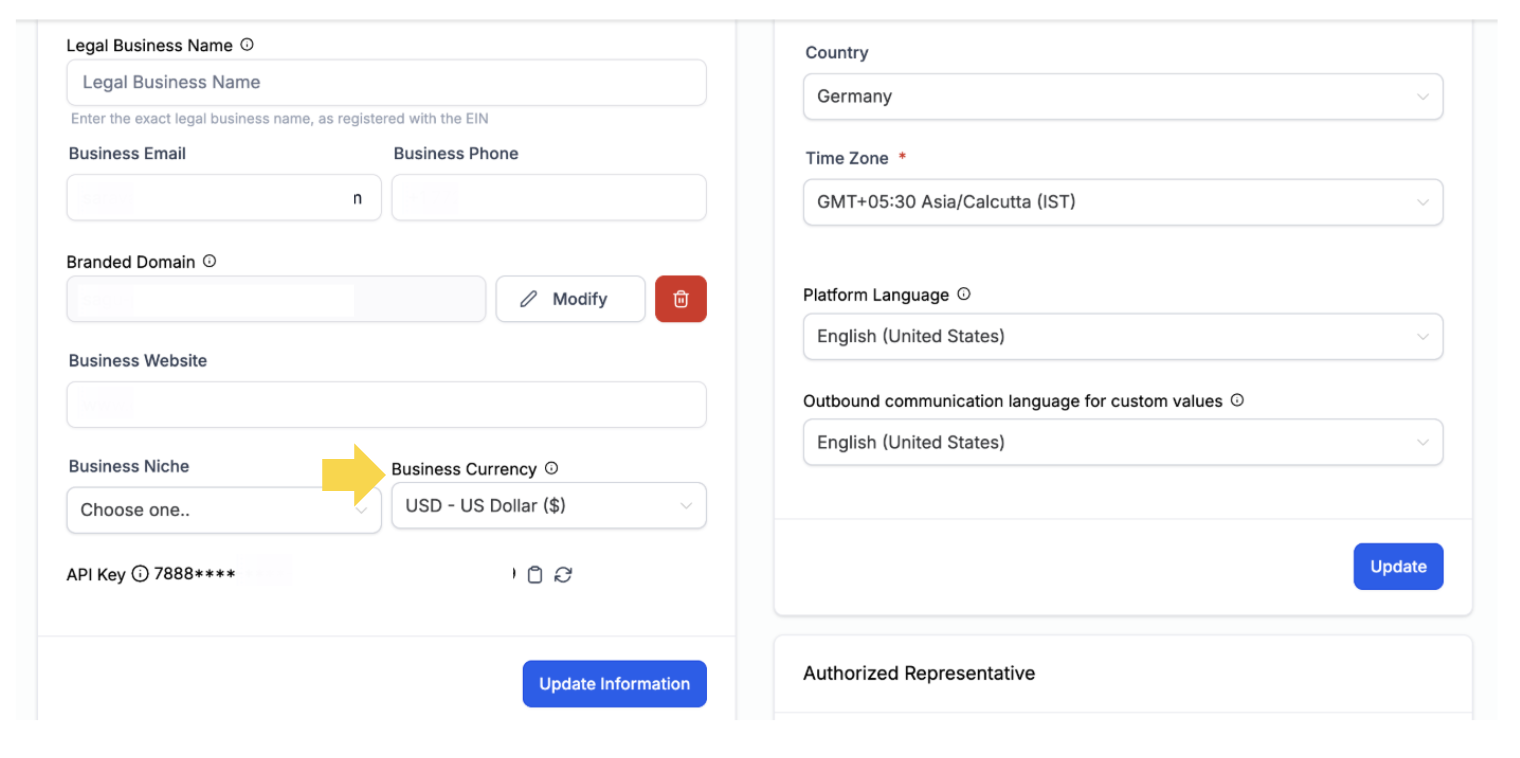
Select your preferred currency.
Once set, this will automatically populate across all payment-related sections of your sub-account.
Support
Need assistance setting your default currency? Contact us at support@enrollio.ai.