
Guidance for Call Timeout Settings
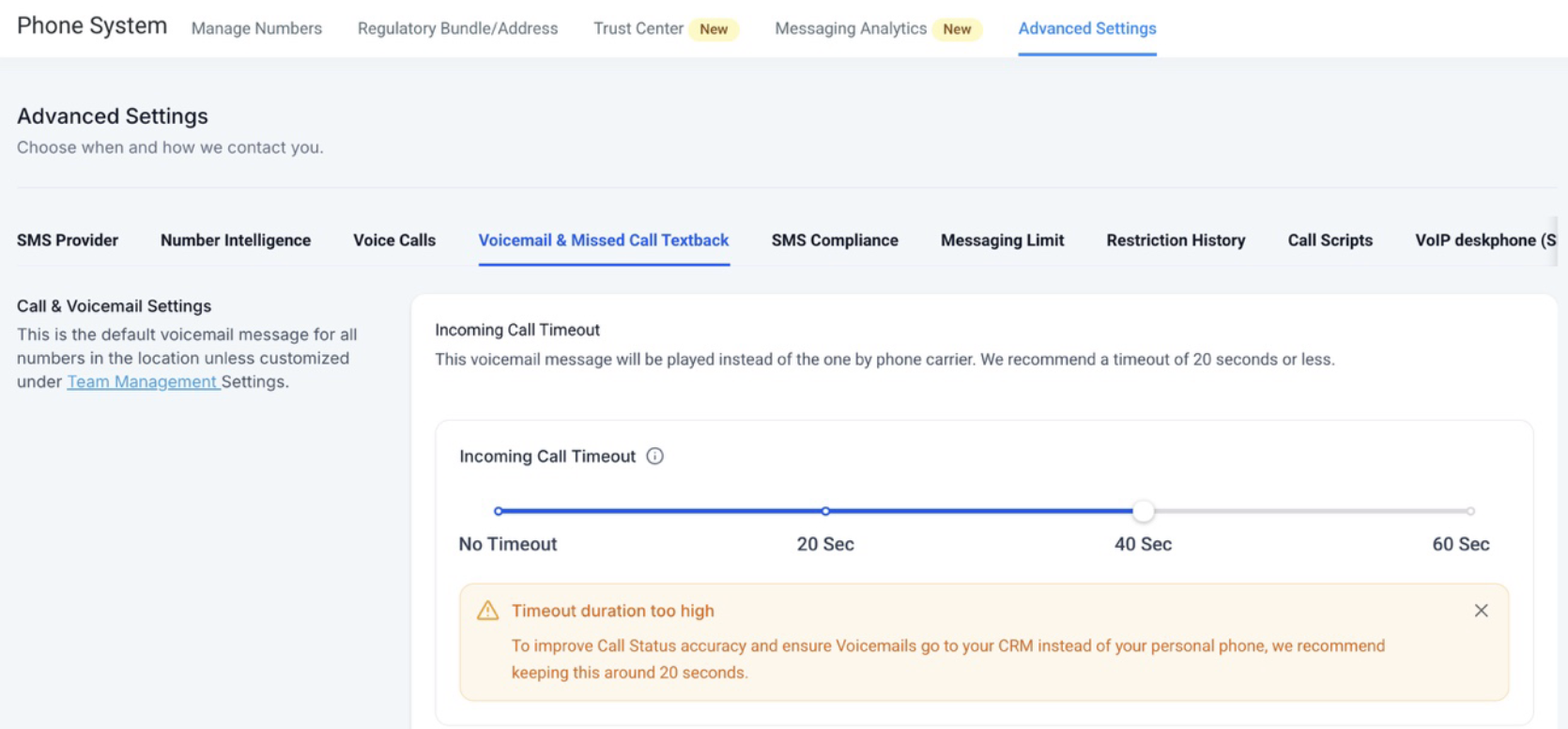
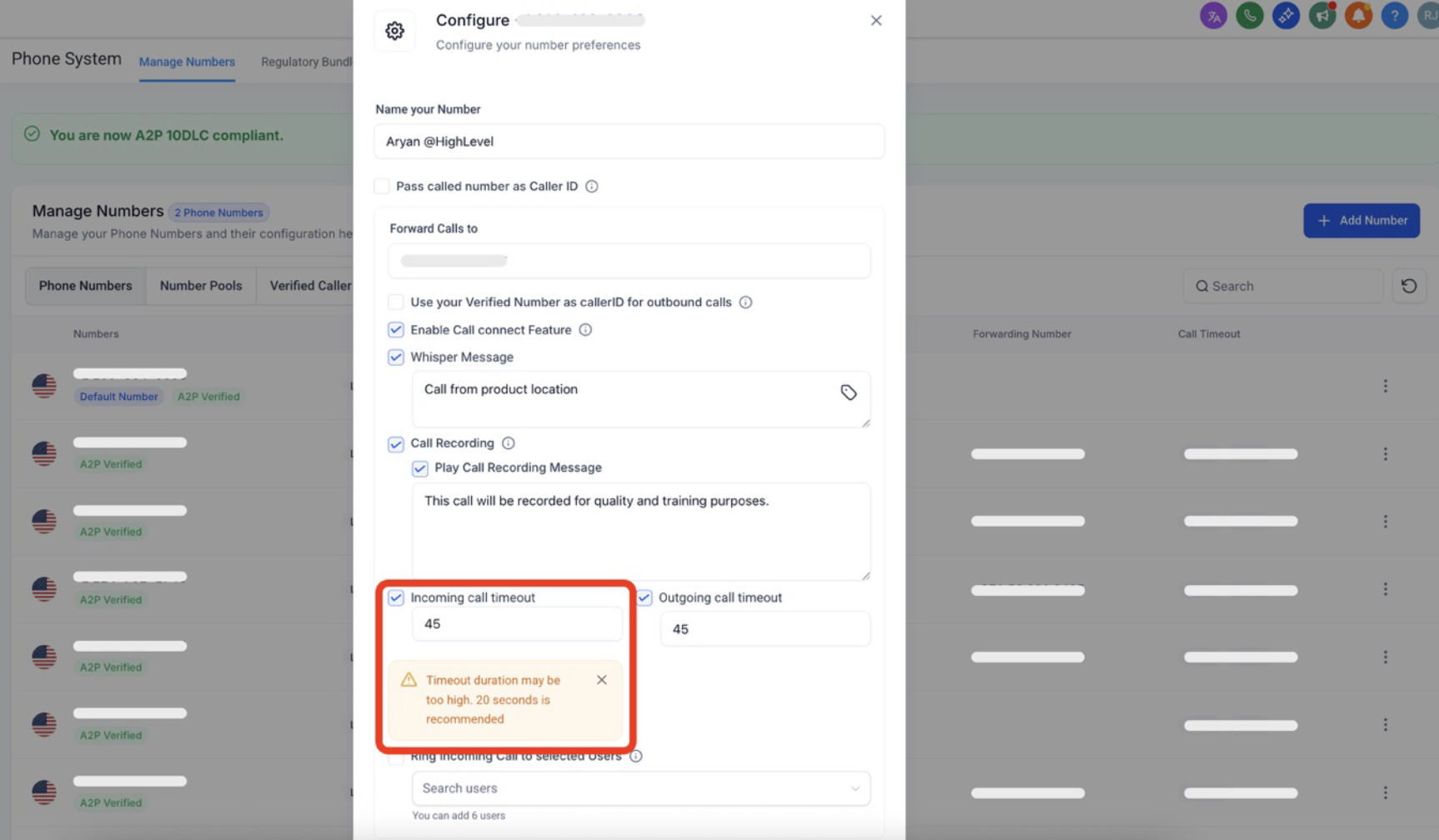
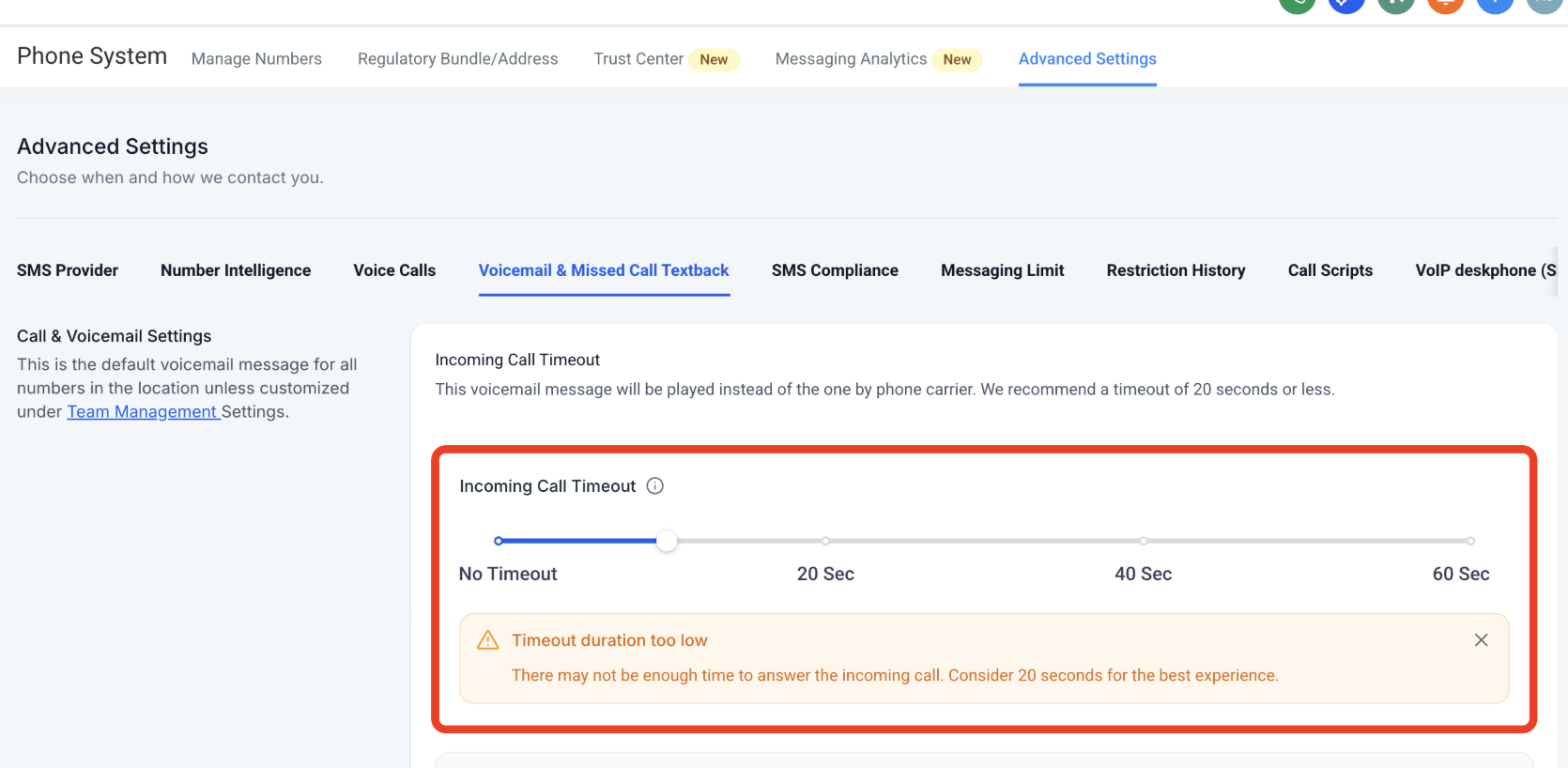
We’ve introduced guidance to help you configure a healthy Incoming Call Timeout. This ensures calls are routed correctly and that call status reporting stays accurate inside Enrollio.
What’s New
-
If the timeout is set too high (above 20 seconds), calls may bypass your Enrollio voicemail and instead go to the carrier voicemail.
These calls are incorrectly marked as Completed instead of Voicemail.
If the timeout is set too low (below 15 seconds), calls may not connect at all or may ring too briefly before ending.
Now, when you set a timeout outside the recommended range, Enrollio will display a message guiding you toward a healthy duration.
Why This Matters for Studios
Carrier voicemail systems typically have timers around 20–30 seconds. Keeping your timeout near 20 seconds helps ensure:
Calls are more likely to be answered or recorded in your CRM voicemail instead of going to a personal carrier voicemail.
Call statuses are tracked more accurately. High timeouts previously caused calls to be logged as Completed when they actually went to voicemail. With the update, these will now be correctly categorized as Voicemail.
Notes
You can choose to close or ignore the tooltip if you already have a specific call flow in place.
Support
If you have any questions or need help configuring your call timeout settings, please contact us at support@enrollio.ai.