
Purpose
This guide explains the new Wait Time feature for recurring countdown timers in Enrollio. This option allows you to add a custom wait time between timer cycles, giving you more flexibility for promotions, sales events, and automated campaigns.
What It’s For
Dance studio owners can use recurring timers to create urgency for events like “Every Friday Sale”, early-bird discounts, or weekly countdowns. Adding a Wait Time between cycles makes these timers more versatile and realistic, ensuring your promotions display correctly across emails and funnels.
Key Features & Benefits
-
Custom Wait Time – Control how long the timer pauses between cycles.
-
Flexible Campaigns – Perfect for weekly events, limited-time sales, and recurring promotions.
-
Hide in Funnels – Optionally hide timers during the wait state to keep your funnels clean.
-
Consistent Experience – Works across both emails and funnels with clear behaviors.
Step-by-Step Instructions
- Navigate to Marketing → Countdown Timer.
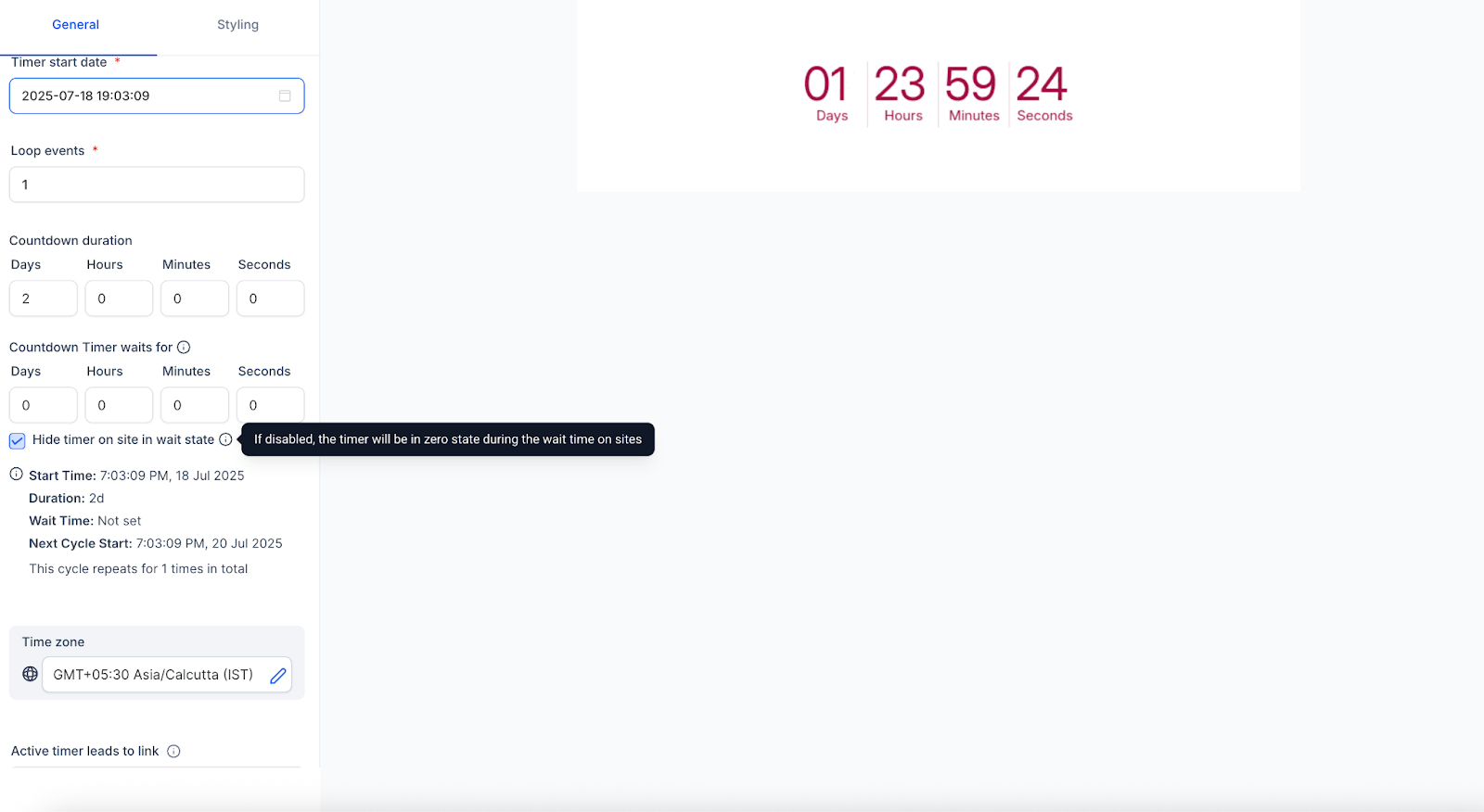
- Create a Recurring Timer.
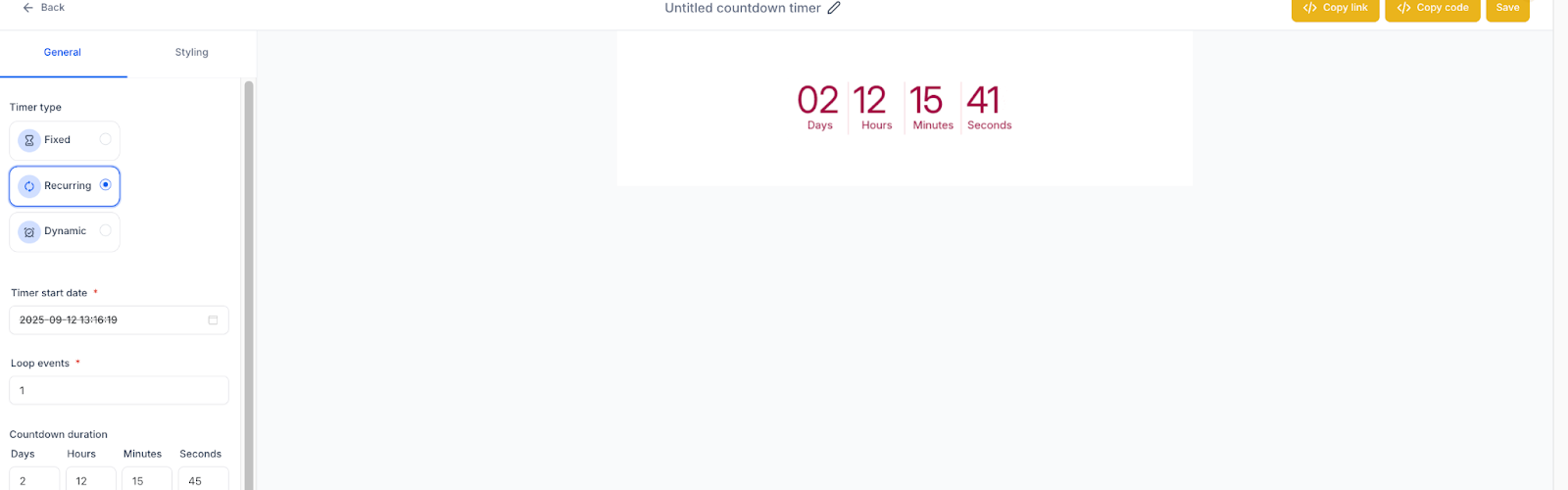
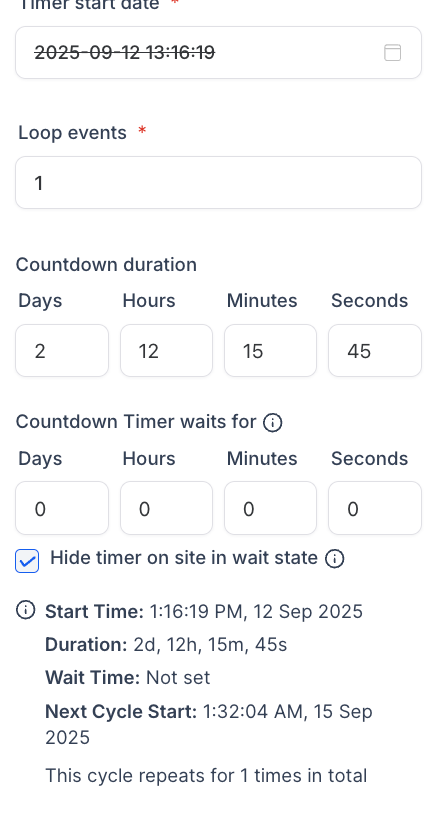
- Configure your cycle settings and set the Wait Time Duration.
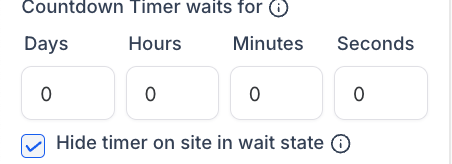
- (Optional) Enable Hide Timer in Wait State for funnels.
- Save your timer and use it in funnels or emails.

Notes / Tips
📌 During Wait Time:
-
In Emails
- The timer shows a zero state.
- Clicking the email link redirects the user to the Expiry Page.
- The timer shows a zero state.
-
In Funnels
- If Hide Timer in Wait State is enabled, the timer will not display.
- If the timer transitions from Active → Wait during the same session, the user stays on the page (no auto-redirect).
- On page refresh, users in the wait state will be redirected to the Expiry Page.
- If Hide Timer in Wait State is enabled, the timer will not display.
Why It Matters
The Wait Time feature makes recurring timers much more practical for recurring promotions and events. It ensures your campaigns run smoothly, create urgency, and deliver a seamless experience across all channels.
Support Reminder
If you have any questions, please reach out to support@enrollio.ai and our team will be happy to help.