
Use this guide when a draft looks off, a parent got a bad answer, or StudioBot won’t offer trial times.
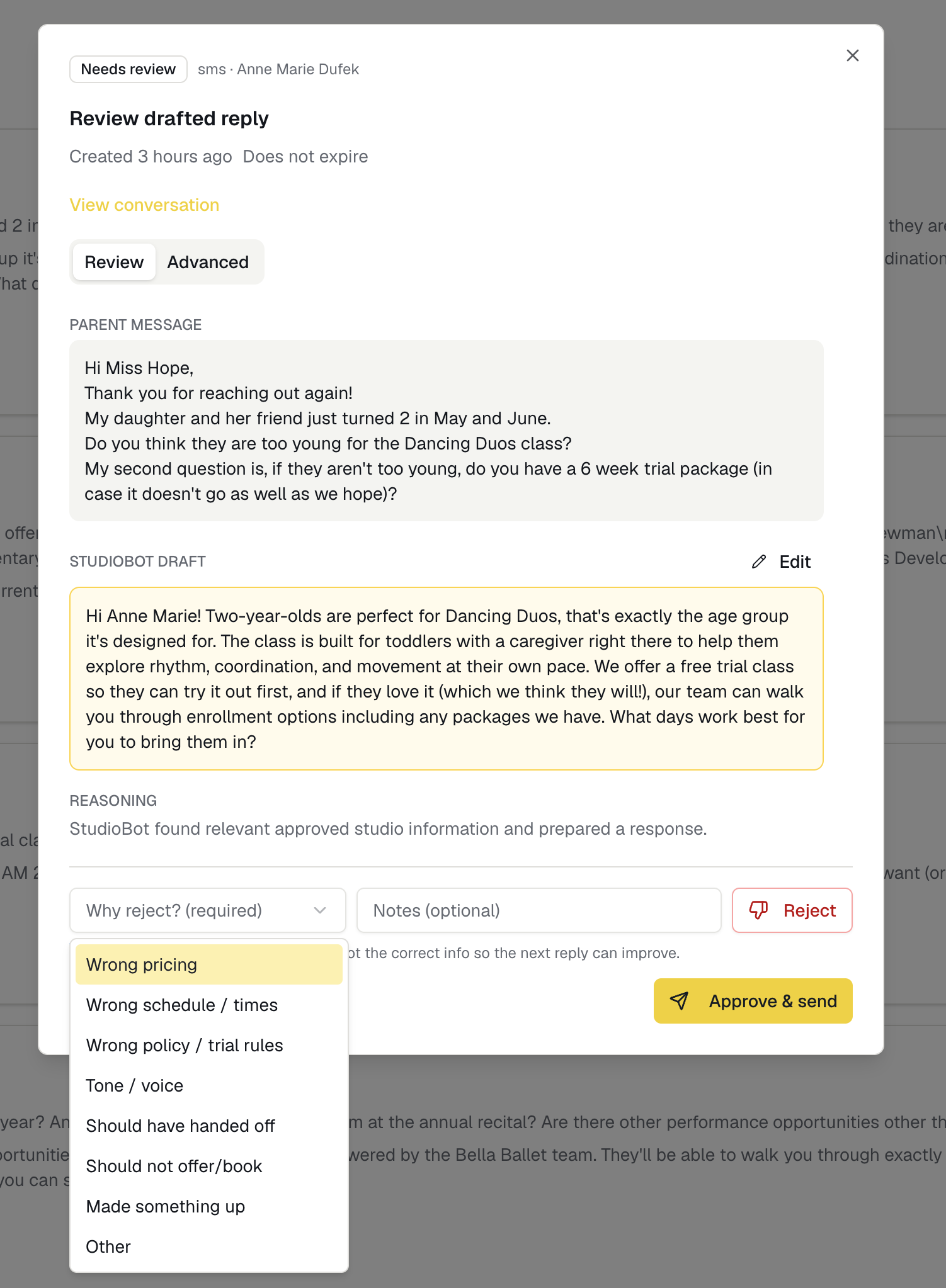
If StudioBot gave a wrong answer
If the message hasn’t sent yet (Practice or Needs Review)
- Open Conversations → Needs Review
- Reject the draft (don’t Approve)
- Use Teach StudioBot with the correct fact
- Optionally add or fix an FAQ under Knowledge → FAQs
- Re-test in Test StudioBot
If the message already went to the parent
- Reply yourself in Enrollio CRM Conversations with the correct information
- Pause StudioBot for that family if you’re taking over
- Teach the correct fact in the dashboard so it doesn’t repeat
- If it was a serious error, Pause StudioBot studio-wide until you’ve reviewed Knowledge
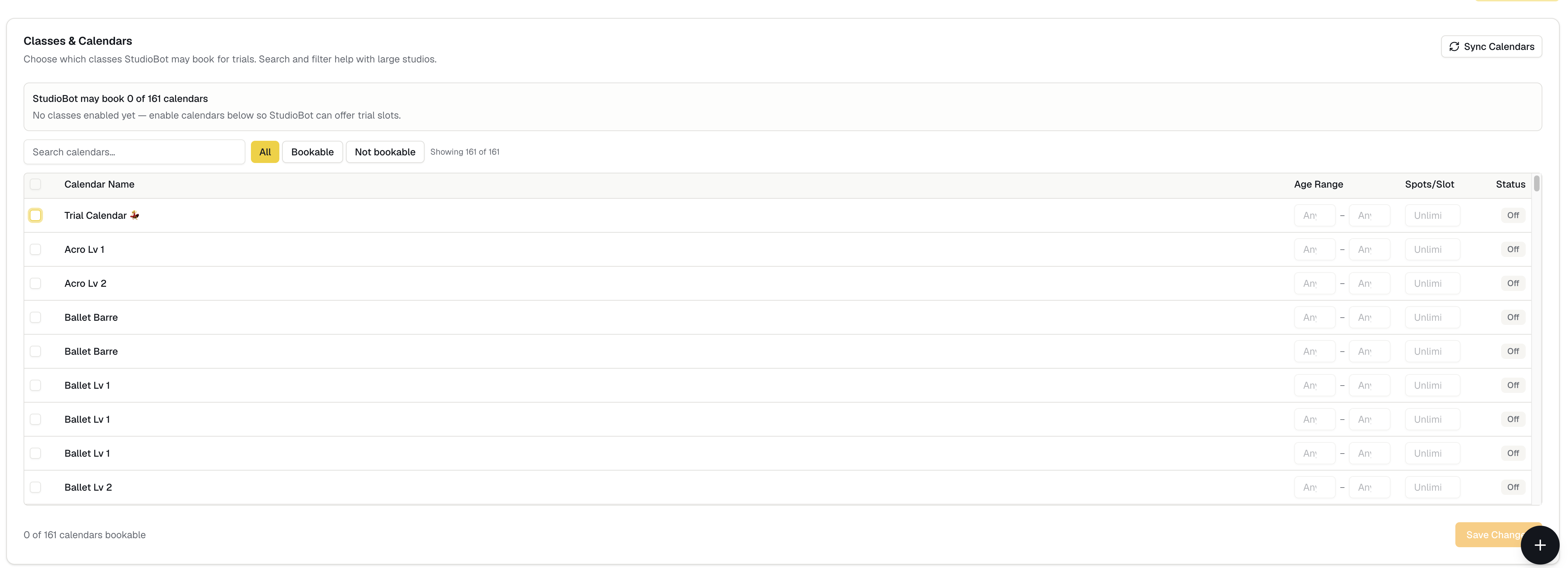
If StudioBot won’t book a trial
Check these in order:
- Status — Practice drafts only; Paused won’t help parents; Active + Review needs Approve & Send
- Trial policy — Setup → Trial Booking must allow booking (not request-only / no trials)
- Calendars enabled — the class style the parent wants must be toggled on
- Open slots — confirm openings exist in Enrollio CRM calendars for the days they asked for
- Contact paused — resume the family if a prior handoff paused them
- Knowledge gaps — missing age ranges or class names can block a confident offer
If StudioBot keeps escalating
That’s often correct for pricing, billing, or “talk to a person.” If it’s escalating routine FAQs:
- Add a clear FAQ or Studio Fact
- Soften Behavior rules that force handoff too early (carefully)
- Run Test Lab scenarios for the same question
If sends fail
- Find the failed item on Home or Needs Review
- Retry once
- Confirm the family isn’t opted out (see SMS STOP and opt-out)
- Contact Enrollio support if it keeps failing — include studio name, contact, and approximate time
What to send Enrollio support
- Studio name
- Approximate time of the conversation
- Parent/contact name or phone (from CRM)
- Screenshot of the draft or CRM thread
- What you expected vs what happened