
What’s New
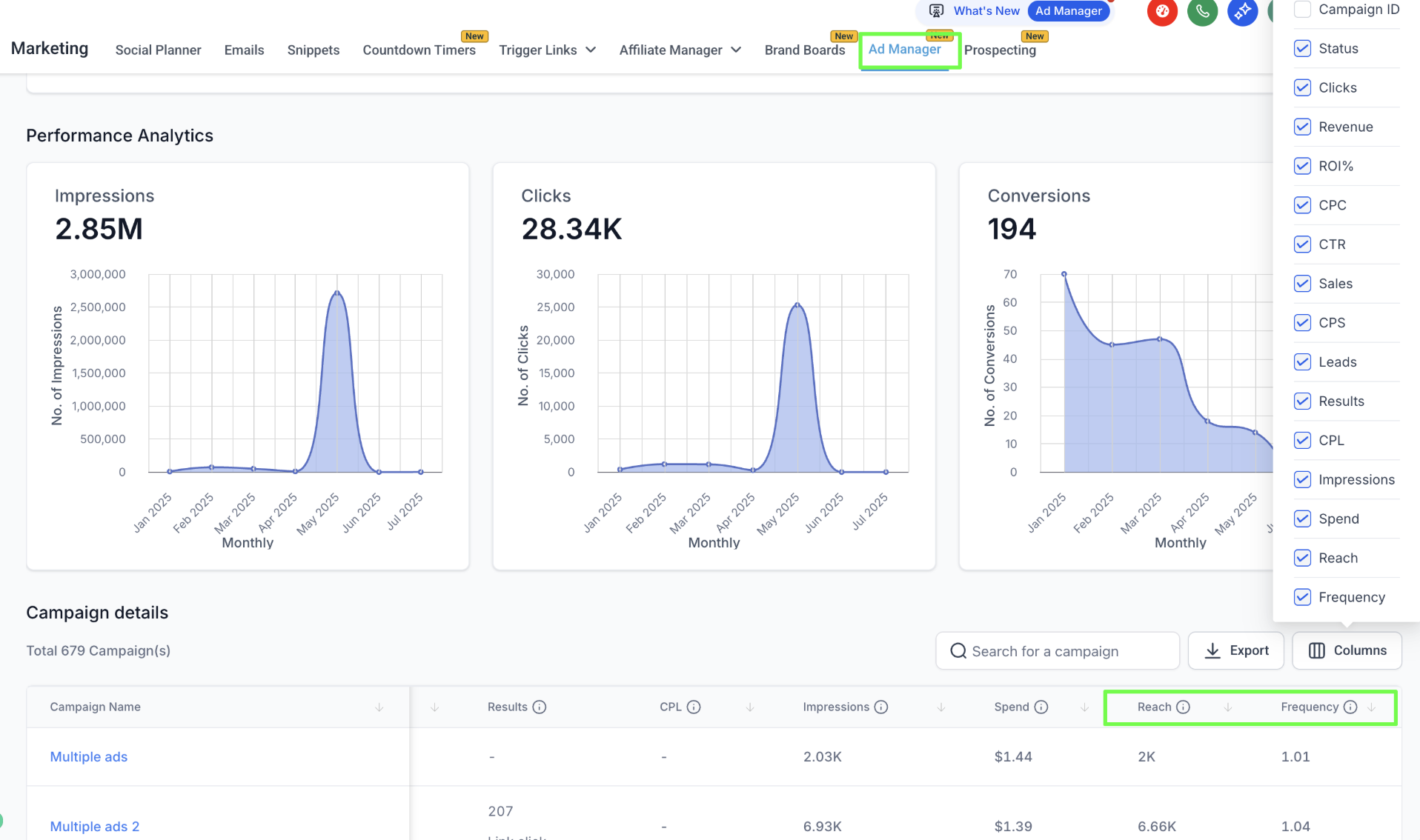
We’ve added two new metrics to the campaign performance dashboard/statistics section in Enrollio Ad Manager:
Reach – Displays the number of unique users who saw your ad at least once.
Frequency – Shows how often your ad was displayed to each unique user (calculated as Impressions ÷ Reach).
These metrics appear alongside existing stats like Results, CPL, Spend, Impressions, and Clicks.
How It Works
Go to Statistics → Performance listing view of campaigns.
Use the Columns selector (top-right of the table) to enable or disable Reach and Frequency metrics.
Hover over the tooltips for definitions and guidance.
Why This Matters
Gain a clearer view of your ad exposure across your target audience.
Prevent underexposure or overexposure by monitoring frequency balance.
Improve campaign efficiency and maintain healthier ROAS with actionable insights.
Support
If you have questions or need help using Reach and Frequency metrics, please contact support@enrollio.ai.