
Test StudioBot (Test Lab) lets you role-play as a parent without messaging real families. Nothing is sent as a live SMS or CRM customer message from these tests.
Path: StudioBot Setup → Test StudioBot
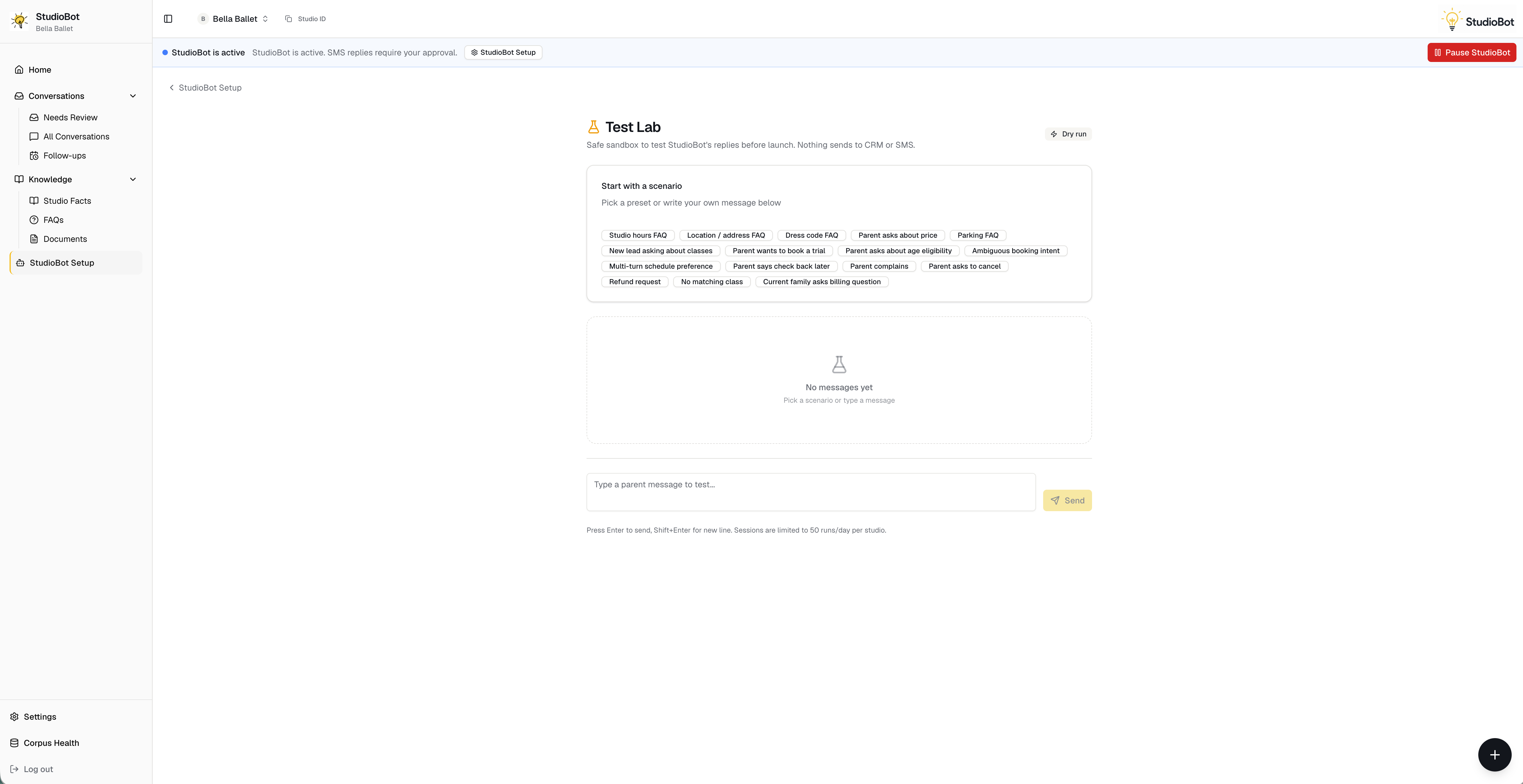
When to use it
- During onboarding, before Go Live
- After you add FAQs, facts, or change trial calendars
- After a bad production answer (reproduce, then Teach)
- When training new staff on what “good” looks like
How to run a test
- Open Test StudioBot
- Start a scenario (or type a parent message)
- Walk through age → interest → schedule → trial offer
- Try edge cases: pricing questions, “I want to talk to someone,” weird class names
- Mark answers that are wrong or incomplete
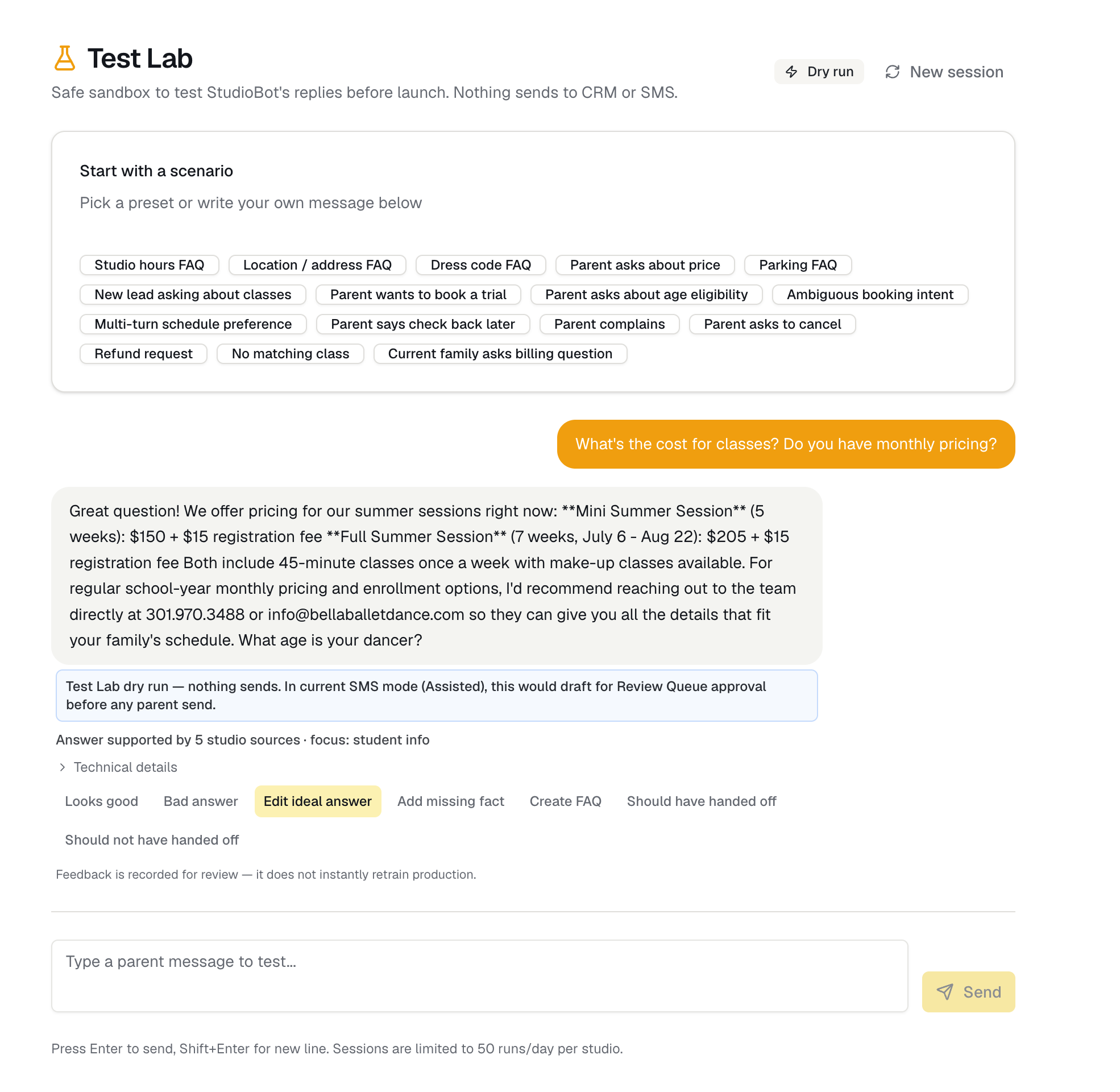
Teach from Test Lab
If an answer is wrong:
- Mark it incorrect / use the feedback control
- Open Teach StudioBot
- Enter the correct fact or instruction
- Re-run a similar scenario to confirm the fix
This is the same teach loop used after rejecting a Review Queue draft.
What Test Lab does not prove
- Exact SMS carrier delivery
- Every real calendar edge case under load
- Staff notification routing (Slack, etc.)
After Go Live with Review before sending, treat the first real Needs Review drafts as the final dress rehearsal.
Suggested test script (10 minutes)
- “Hi, do you have classes for a 6-year-old?”
- Interest in one style you offer
- Ask for Tuesday or Thursday after school
- Book a free trial if offered
- Ask “How much is tuition?” — expect a handoff, not a price guess
- Ask something only your FAQ covers (parking / what to wear)
- Say “Can I speak with someone?” — expect handoff behavior