
Good news! Enrollio has released a brand-new Bulk Charge feature that makes it faster and easier to manage student payments. With just one click, you can now charge all active students at once.
This update is especially helpful for billing items like recital fees, membership fees, or any other studio-wide charges.
What You Can Do with Bulk Charge
- Charge all active students in one click
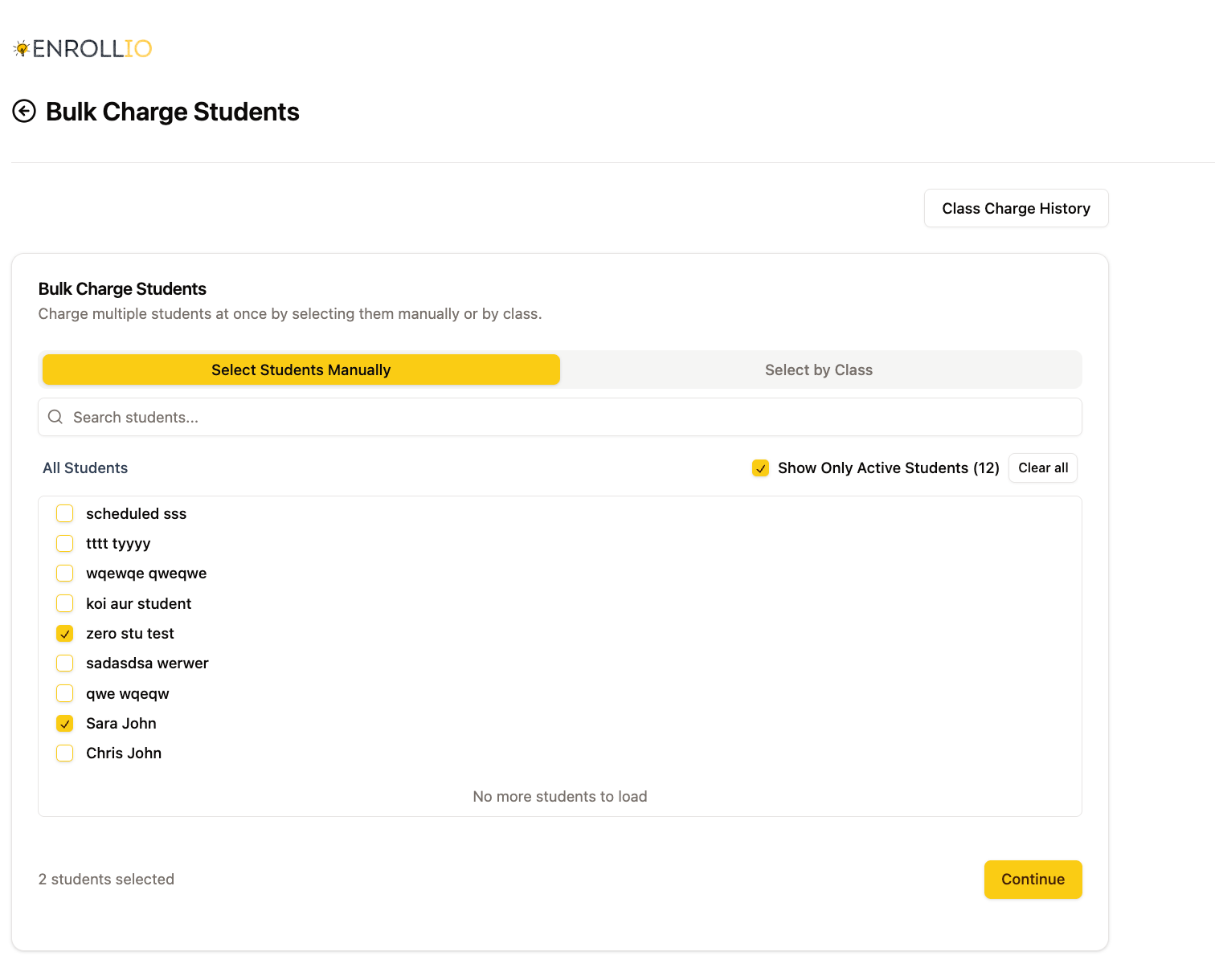
- Select students individually or by class/session if you don’t want to charge everyone
- Easily manage common fees like recital fees, membership fees, or extra charges
How to Bulk Charge Students
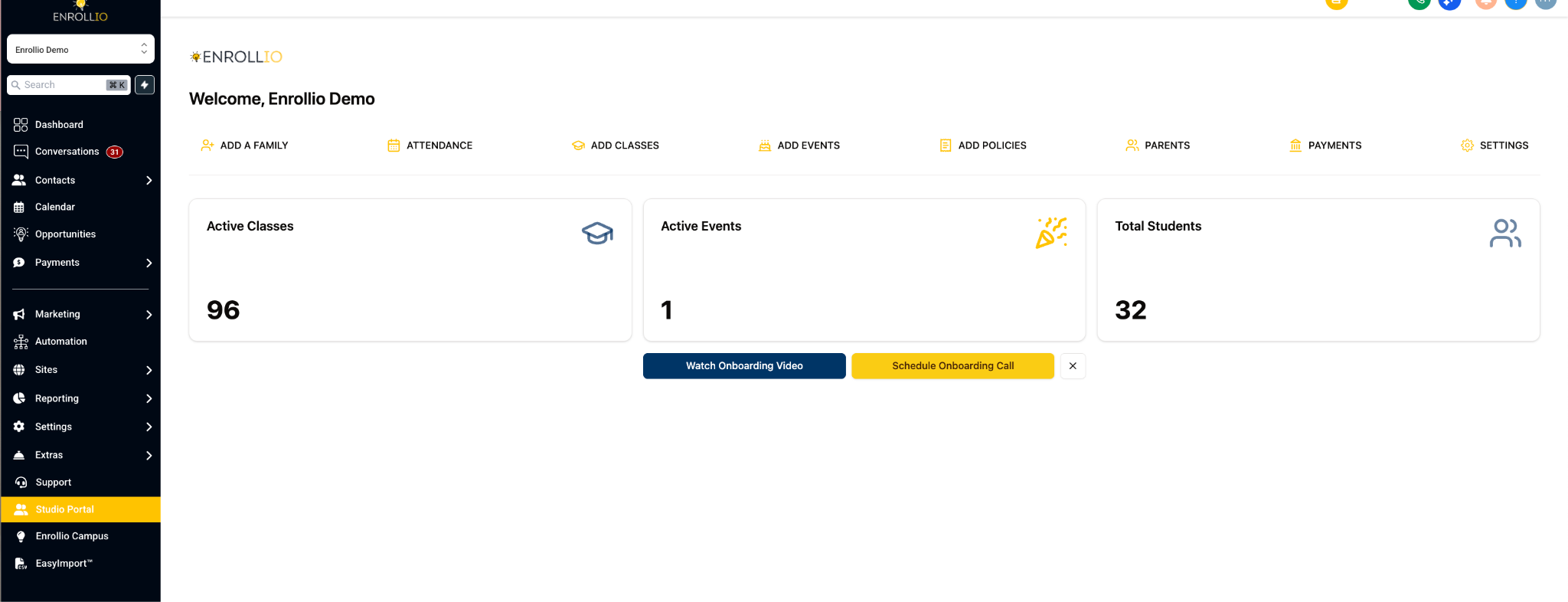
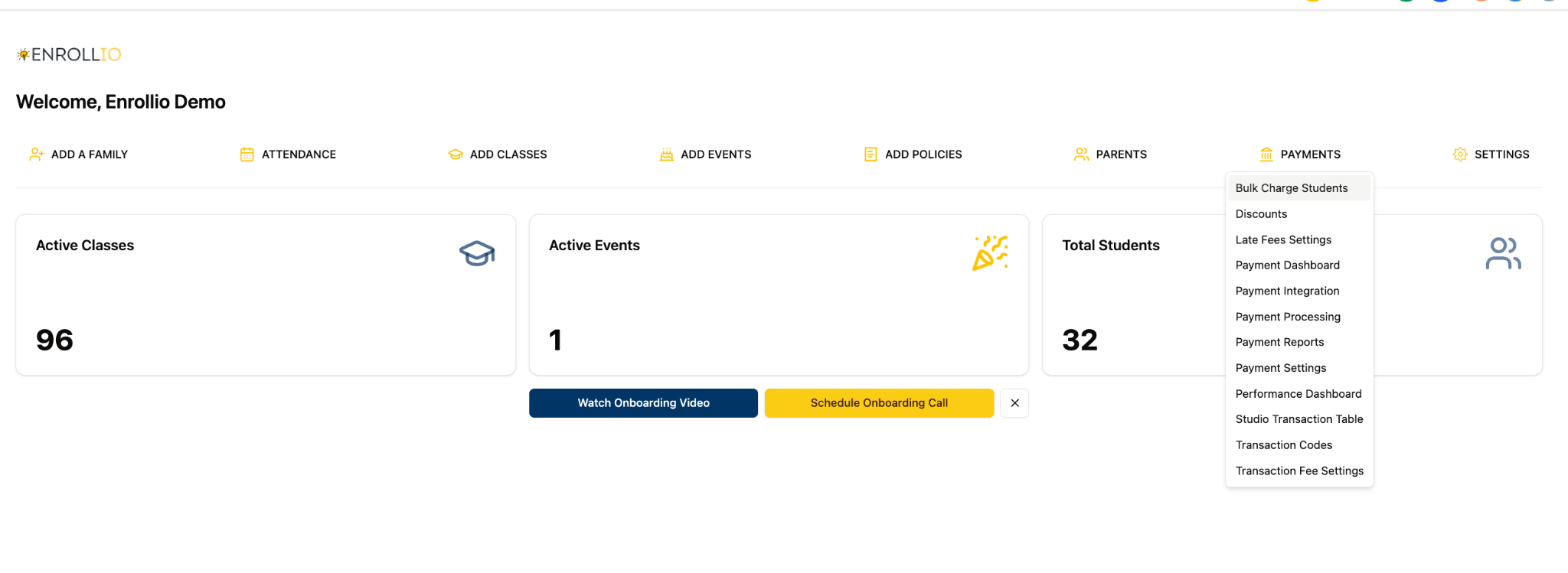
Step 1: Go to Studio Portal > Bulk Charge Students
From your Enrollio dashboard, navigate to the Payments section and select Bulk Charge Students.
Step 2: Choose Who to Charge
- Click Charge All Active Students if you want to apply the fee to everyone.
Step 3: Enter Fee Details
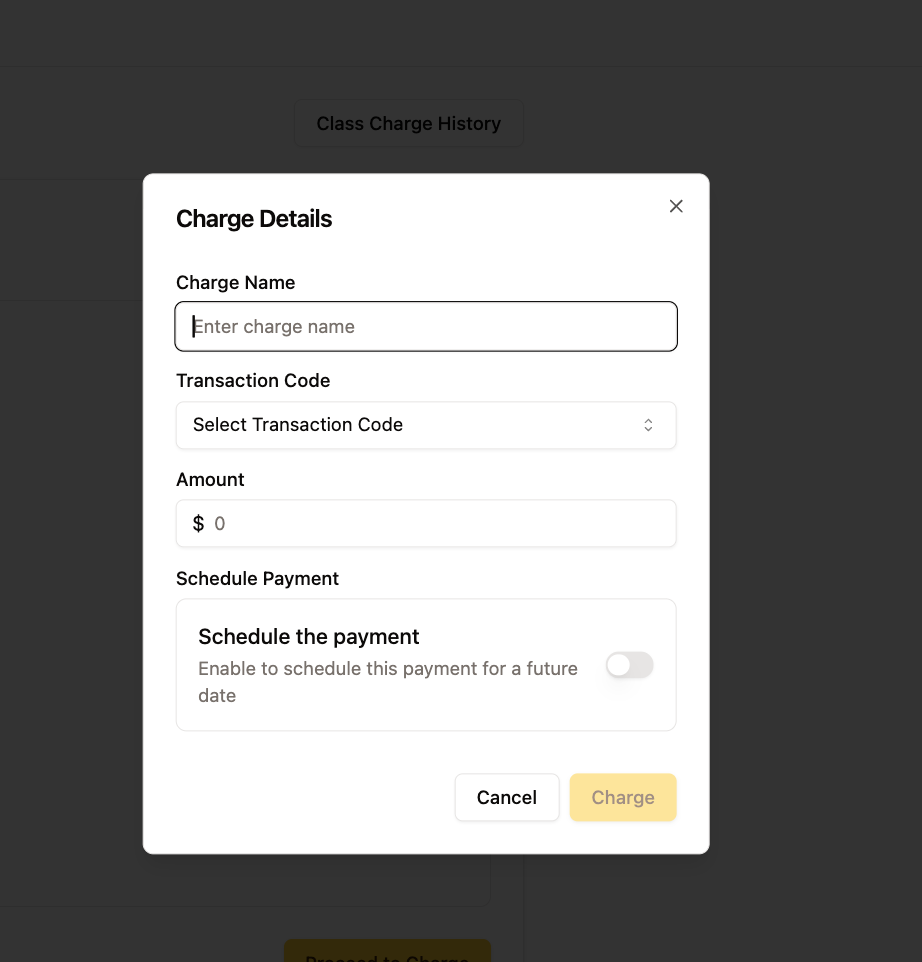
- Add the Charge Name (e.g., “Fall Recital Fee” or “Annual Membership Fee”).
- Enter the Amount to be charged.
- Confirm the payment type (credit card, ACH, etc.).
Step 4: Review & Confirm
Double-check your selections, then hit Charge. That’s it! Your fees are applied!
Why This Helps Your Studio
This new feature saves you time by removing the need to charge students one by one. It also helps ensure that no student is missed during billing keeping your studio’s finances organized and stress-free.
Tip: Before bulk charging, review your student list to make sure all active accounts are up to date. Also, remind parents to have a registered card on file in the Parent Portal so payments can process smoothly.
For any questions, reach out to Enrollio’s live chat support or email support@enrollio.ai